An EPOS with online ordering is defined as an electronic point of sale system that connects your in-store till directly with a digital ordering platform, synchronising sales, stock, and fulfilment in real time. For UK retail and hospitality businesses, this integration is no longer optional. Customers expect to order online, collect in store, or request delivery without friction. When your EPOS and online ordering system share the same data, you eliminate manual re-entry, reduce errors, and gain a single view of your business. The result is faster service, fewer mistakes, and more revenue from every channel.
How does EPOS with online ordering improve operational efficiency?
Integrated EPOS replaces manual entry with automated real-time tracking across every sales channel. That means an order placed on your website appears instantly on your kitchen display or stock system, without anyone typing it in twice.
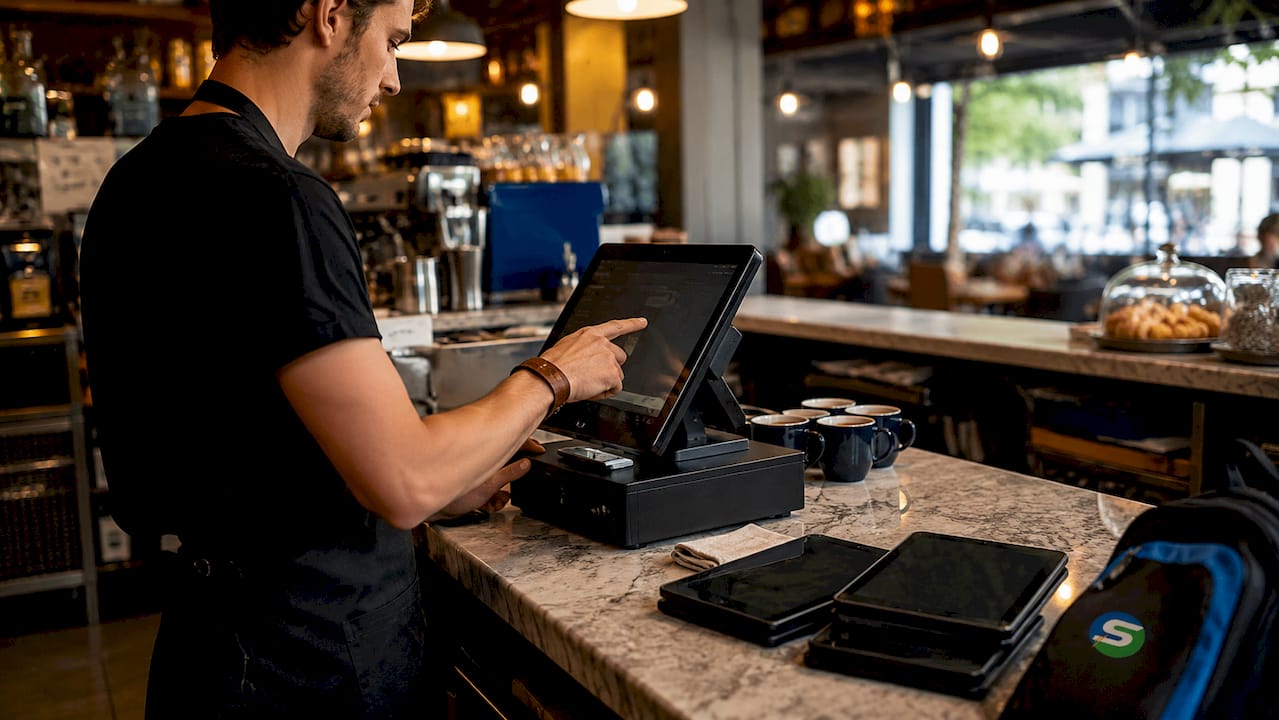
The most visible gain is the elimination of what hospitality operators call the “tablet farm.” Without integration, many businesses run separate devices for each delivery platform, each requiring manual monitoring and re-entry. Modern EPOS systems consolidate all channels into one screen, reducing staff workload and the risk of missed or duplicated orders.
Real-time inventory updates are equally valuable. When a product sells out in store, your online menu reflects that immediately. Overselling stops. Customer disappointment stops. You also gain unified reporting across all channels, so you can see which products perform best online versus in person, and adjust your offer accordingly.
Key operational benefits include:
- Automated order syncing across web, social, and in-store channels
- Live stock updates that prevent overselling and reduce waste
- Unified sales reports that replace multiple spreadsheets with one dashboard
- Simplified staff workflows with a single interface for all order types
- Fewer errors because data flows automatically rather than being typed manually
Pro Tip: If your team is currently managing three or more separate devices for different order channels, that is a direct sign that integration will pay for itself quickly in time saved and errors avoided.
The reduction in human errors alone justifies the switch for most small businesses. Small errors add up fast, and in hospitality, a wrong order means a refund, a bad review, or both.
What are the key features to look for in an EPOS system with integrated online ordering?
Not all systems deliver the same level of integration. When evaluating an EPOS system with integrated online ordering, focus on features that directly affect your daily operations and your customers’ experience.
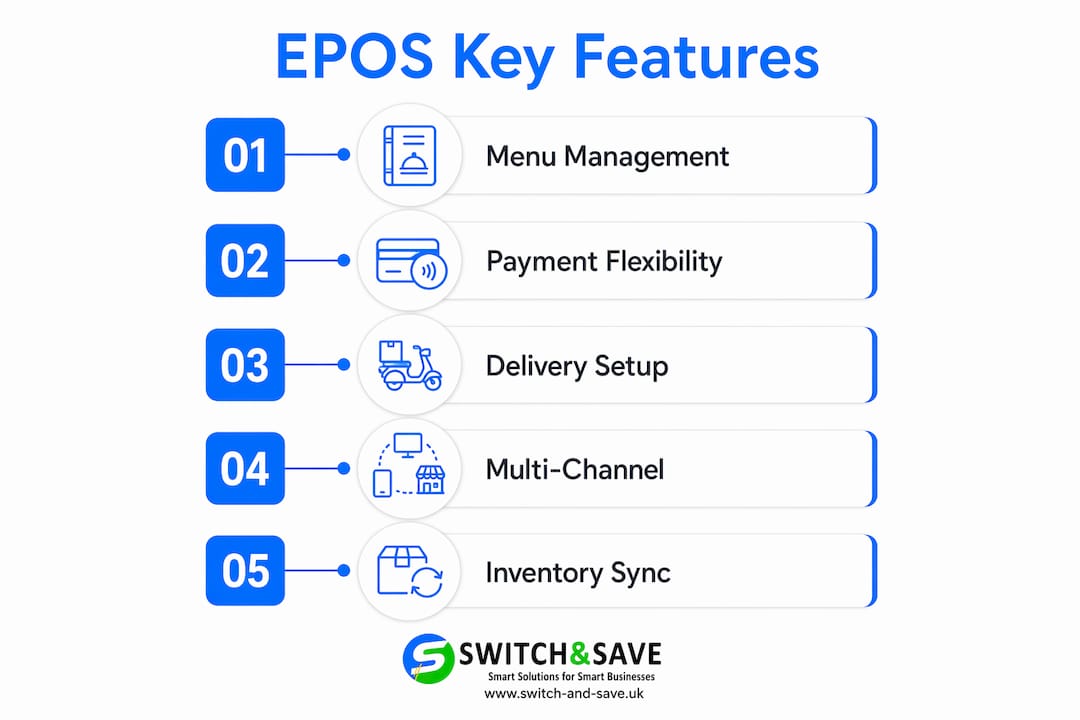
Menu management and presentation
Your online menu must be easy to update from one place. Look for systems that let you add photos, descriptions, and modifiers (such as size or extras) without needing a developer. Items with photos get ordered 30% more often than those without. That single fact makes photo management a commercial priority, not a cosmetic one.
Payment flexibility
Your system should accept contactless payments, card payments, and online checkout without requiring separate hardware or accounts. Customers who cannot pay their preferred way abandon their order. Payment flexibility directly protects your conversion rate.
Delivery and collection configuration
Look for scheduling tools that let customers pre-order for a specific time, set delivery zones with distance or postcode rules, and choose between collection and delivery. Scheduled online ordering increases total order volume by 15–20%. That uplift comes from customers who plan ahead and order larger quantities when they can choose their slot.
Multi-channel ordering support
The best systems support ordering via your own website, social media profiles, and even AI-powered phone ordering. Owning these channels means you keep your customer data and avoid paying commission to third-party platforms.
| Feature category | What to look for |
|---|---|
| Menu management | Photo uploads, modifiers, real-time updates |
| Payment types | Contactless, card, online checkout |
| Order scheduling | Pre-order slots, collection and delivery options |
| Channel support | Website, social media, direct ordering |
| Reporting | Unified dashboard across all channels |
| Data ownership | Customer data retained by your business |
The EPOS features checklist for retail and hospitality published by Switch-and-save covers these categories in detail and is worth reviewing before you commit to any system.
How to set up online ordering integrated with your EPOS system
Setting up an integrated online ordering system is straightforward when you follow a clear sequence. Rushing any step creates problems that are harder to fix after launch.
- Choose a compatible platform. Confirm that your chosen online ordering platform connects directly with your existing EPOS, or select a new EPOS that includes online ordering as a built-in feature. Compatibility at this stage saves significant time later.
- Build your online menu. Do not simply copy your full in-store menu. Curated online menus of 15–20 best-selling items maintain kitchen efficiency and order quality, especially during busy periods. Add photos to every item and write clear, accurate descriptions.
- Configure payments, delivery, and collection. Set up your accepted payment methods, define your delivery zones using postcodes or distance, and decide your collection windows. Be specific. Vague settings lead to customer confusion and failed orders.
- Test thoroughly before going live. Testing 5–20 orders across every fulfilment type, including collection, delivery, and scheduled orders, is critical before launch. Test every payment method too. A failed payment at checkout is one of the fastest ways to lose a customer permanently.
- Adjust your kitchen workflow. Set up a dedicated packaging station near your kitchen pass. Apply clear channel tags to tickets so staff can immediately identify whether an order is for collection, delivery, or dine-in. This single change reduces packing errors significantly.
- Train your team. Walk every member of staff through the new workflow before launch day. Focus on how orders appear on the screen, how to handle exceptions, and what to do when an item is unavailable.
- Launch with visibility. Add your order button to your website homepage, your Google Business profile, and your social media pages. Customers cannot use a system they cannot find.
Pro Tip: Run a soft launch with a small group of trusted customers before going fully public. Their feedback will surface issues your internal testing missed, and they will appreciate being involved.
The benefits of an integrated point of sale solution become most apparent in the first two weeks after launch, when unified reporting shows you exactly which channels are performing and where orders are dropping off.
How can businesses maximise profits and customer loyalty with EPOS and online ordering?
The biggest financial opportunity in online ordering is not increasing order volume. It is reducing the cost of each order by moving customers away from third-party marketplaces and onto your own direct channel.
Restaurants processing 500 orders per month can save over £49,000 annually by switching from third-party platforms to direct branded ordering. Third-party commission fees typically run at 15–30% per order. On a £20 order, that is up to £6 going to the platform rather than your business. Multiply that across hundreds of orders a month and the figure becomes significant very quickly.
“The most profitable online order is the one that comes directly to you, with no commission taken, and with the customer’s data in your hands for future marketing.”
Practical strategies to shift customers to direct ordering:
- In-pack messaging. A printed card in every delivery bag, offering a discount on the next direct order, converts 15–30% of repeat customers to your direct channel within 90 days. That is one of the highest-return marketing tactics available to a small hospitality business.
- Loyalty incentives. Reward customers who order directly with points, discounts, or exclusive items. Your EPOS system stores the data needed to run these programmes without third-party involvement.
- Menu analysis. Use your integrated reporting to identify your top sellers online versus in store. Promote high-margin items more prominently in your online menu and remove low-performers that slow down your kitchen.
- Personalised promotions. Customer data captured through direct ordering lets you send targeted offers by email or SMS. A customer who orders every Friday evening is a strong candidate for a Friday afternoon promotion.
AI-driven inventory management also plays a role here. When your stock levels feed directly into your ordering system, you can avoid promoting items you cannot fulfil and reduce waste on items that are not selling online.
Key takeaways
An EPOS with online ordering is the most direct way for UK retail and hospitality businesses to increase revenue, reduce errors, and cut commission costs across all sales channels.
| Point | Details |
|---|---|
| Integration eliminates errors | Automated syncing removes manual re-entry and reduces order mistakes across all channels. |
| Photos and scheduling drive volume | Menu photos increase orders by 30%; scheduled ordering boosts volume by 15–20%. |
| Direct ordering saves significant money | Businesses can save over £49,000 annually by avoiding third-party marketplace commissions. |
| Testing before launch is non-negotiable | Running 5–20 test orders across all fulfilment types prevents costly mistakes at launch. |
| In-pack messaging converts customers | A simple printed card shifts 15–30% of repeat customers to your direct ordering channel within 90 days. |
What I have learned from watching businesses go live with integrated ordering
The businesses that struggle most with integrated EPOS and online ordering are not the ones with the wrong technology. They are the ones that skip the workflow conversation with their team.
I have seen well-funded setups fail in the first week because nobody told the kitchen staff how to read a channel tag, or because the packaging station was an afterthought placed in the wrong part of the kitchen. The technology works. The physical setup and the people using it are where things go wrong.
The other pattern I keep seeing is over-complicated menus. Business owners want to put everything online because they are proud of their full offer. That instinct is understandable, but it is the wrong call. A curated menu of your 15–20 best sellers will outperform a full menu every time, because your kitchen can execute it consistently under pressure. Consistency is what builds repeat customers online.
My strongest recommendation is this: treat the launch as a process, not an event. Test thoroughly, train your team properly, and plan your first in-pack promotion before you go live. The commission savings from shifting even a fraction of your marketplace orders to direct will fund the cost of your EPOS system faster than most business owners expect.
— Amir
Switch-and-save EPOS systems with built-in online ordering
If you are ready to connect your in-store sales with a direct online ordering channel, Switch-and-save has EPOS packages built specifically for UK retail and hospitality businesses.

Switch-and-save systems combine hardware, AI-powered software, and integrated payment processing in one package, so you are not piecing together separate tools from different providers. The hospitality EPOS bundle and the retail EPOS system are both designed for businesses that need reliable, commission-free online ordering alongside their in-store till. You can also browse the full range of EPOS systems to find the right fit for your size and sector. UK-based support and free demos are available, so you can see the system working before you commit. Visit Switch-and-save to find the right package for your business.
FAQ
What is EPOS with online ordering?
EPOS with online ordering is an electronic point of sale system that connects your in-store till with a digital ordering platform, syncing sales, stock, and fulfilment data in real time across all channels.
Does integrated online ordering work for small restaurants and takeaways?
Yes. Integrated systems are particularly well-suited to small hospitality businesses because they replace multiple separate devices with one unified interface, reducing staff workload and order errors from day one.
How much can I save by switching to direct online ordering?
Businesses processing 500 orders per month can save over £49,000 annually by avoiding third-party marketplace commission fees, which typically run at 15–30% per order.
How long does it take to set up online ordering with an EPOS system?
Setup time varies by provider, but most businesses can configure menus, payments, and delivery settings within a few days. Thorough testing across all order types before launch is the step that takes the most time and delivers the most value.
Do I need separate hardware for online ordering?
Not with a fully integrated system. A cloud-based EPOS solution handles both in-store and online orders through the same hardware and dashboard, removing the need for additional tablets or devices.