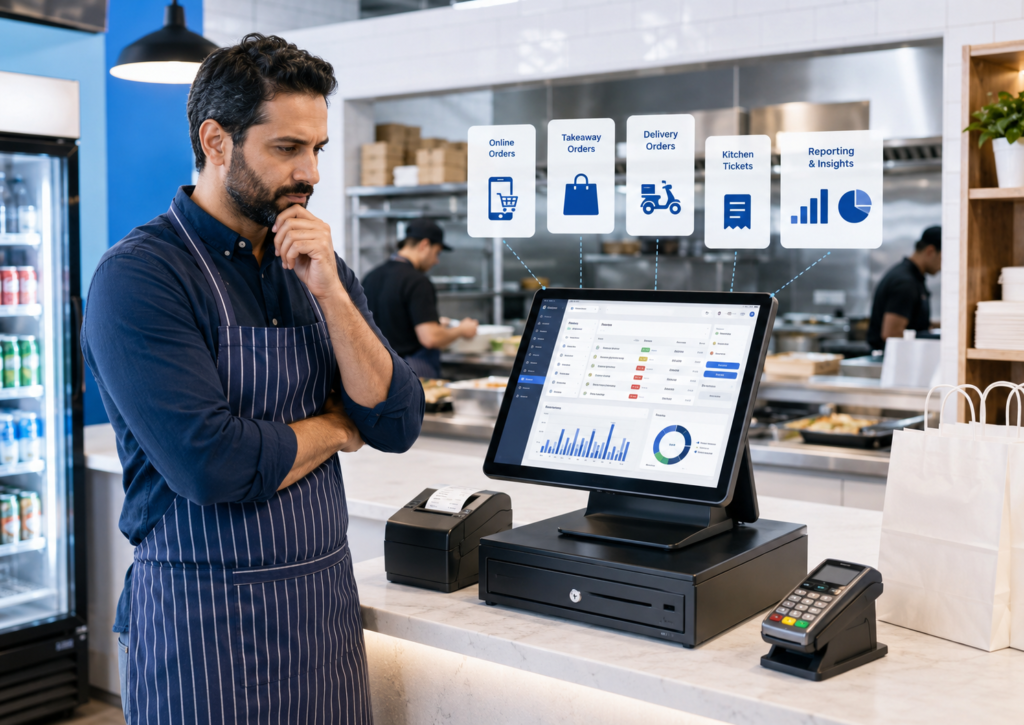
The best POS system for a delivery or takeaway restaurant is one that brings counter, telephone, website and delivery-app orders into one workflow. It should send orders directly to the correct kitchen printer or display, keep menus and prices consistent, process payments accurately and provide clear reporting across every sales channel.
For many independent UK takeaways, Switch & Save is a strong all-round option because its hospitality EPOS combines takeaway, collection and delivery order management with kitchen printing, integrated card payments, cloud reporting, a branded online ordering website and support for Uber Eats, Just Eat and Deliveroo. Other options, including Square, Flipdish, Lightspeed and Epos Now, may suit businesses with different budgets, growth plans or existing technology.
There is no single POS platform that is best for every restaurant. The right choice depends on your order volume, delivery channels, kitchen workflow, number of locations, payment requirements and support expectations.
Key Takeaways
| Question | Direct answer |
|---|---|
| What is the best overall option for an independent UK takeaway? | Switch & Save is a strong choice for businesses wanting EPOS, online ordering, delivery integrations, payments and kitchen operations in one supported package. |
| Which system is suitable for a new or small takeaway? | Square may suit businesses that want a simple entry point and quick self-service setup. |
| Which platform focuses heavily on online ordering? | Flipdish is designed around direct ordering, marketplace management and restaurant delivery operations. |
| Which system suits a growing restaurant group? | Lightspeed offers advanced restaurant management, integrations and multi-location capabilities. |
| What is the most important delivery feature? | Orders should enter the POS automatically without staff retyping them from separate tablets. |
| Should price be the main consideration? | No. Compare software, hardware, integrations, payment charges, support and possible downtime together. |
What Is a Delivery and Takeaway POS System?
A delivery and takeaway POS system is an electronic point of sale designed to manage food orders from several channels.
These may include:
- Walk-in counter orders
- Telephone orders
- Click-and-collect orders
- Orders placed through the restaurant’s website
- Uber Eats orders
- Just Eat orders
- Deliveroo orders
- Dine-in orders
- Self-service kiosk or QR orders
A basic till records a sale. A modern takeaway EPOS system should manage the complete journey from the moment an order is received until it is prepared, paid for, collected or dispatched.
For example, an online pizza order should appear automatically on the till, include the customer’s selected size and toppings, print at the correct preparation station and appear in the restaurant’s sales reports. Staff should not have to read the order from one tablet and type it into another system.
Best POS Systems for Delivery and Takeaway Restaurants
The following comparison is based on the capabilities publicly advertised by each provider. Features, prices and integrations can change, so restaurant owners should request a live demonstration and written quotation before deciding.
| POS system | Best suited to | Key strengths | Points to check |
|---|---|---|---|
| Switch & Save | Independent UK takeaways, cafés and restaurants | Delivery integrations, branded ordering website, kitchen printing, payments, reporting and UK support | Confirm the exact package and hardware required |
| Square for Restaurants | New and smaller food businesses | Straightforward setup, online ordering and a scalable software range | Advanced functionality may require paid plans or third-party integrations |
| Flipdish | Delivery-led and digitally focused restaurants | Direct ordering, marketplace management and restaurant-specific tools | Confirm contract, hardware and marketplace integration costs |
| Lightspeed Restaurant | Growing and multi-location operators | Advanced reporting, integrations, online ordering and scalability | May provide more functionality than a very small takeaway needs |
| Epos Now | Businesses wanting a broad software ecosystem | Restaurant EPOS, delivery integration, kitchen display and app marketplace | Check which applications and integrations carry additional charges |
1. Switch & Save: Best Overall for Independent UK Takeaways
Switch & Save is particularly suitable for independent restaurants, cafés and takeaways that want to manage in-store, collection and delivery orders through one system.
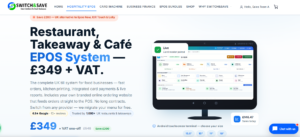
The Switch & Save hospitality EPOS system supports dine-in, takeaway, pickup and delivery workflows. Its publicly listed features include kitchen printing, kitchen displays, integrated card payments, product modifiers, meal deals, delivery zones, preparation times, online order tracking and live cloud reporting.
Switch & Save also provides a branded online ordering website, allowing customers to place collection or delivery orders directly with the restaurant. Orders can enter the POS automatically and be sent to the kitchen without being manually re-entered. Support for Uber Eats, Just Eat and Deliveroo is also advertised.
Best for:
- Independent takeaways
- Pizza, burger, chicken and kebab shops
- Cafés offering collection and local delivery
- Restaurants combining dine-in and delivery
- Businesses switching from several separate ordering devices
Important advantage: Switch & Save combines operational technology with integrated card-payment options and UK-based setup and support. This can be helpful for owners who prefer one supplier to coordinate the till, payments, printers and ordering channels.
2. Square for Restaurants: Best for Simple Setup
Square for Restaurants can be a practical choice for a new takeaway, café or food stall that wants a relatively simple starting point.
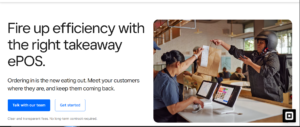
Square offers restaurant POS tools, online ordering, click and collect, delivery options, team management and kitchen display functionality. It also offers different software levels, including an entry-level option and more advanced paid plans.
For third-party delivery orders, Square advertises integration with Deliverect, which can bring orders from platforms such as Uber Eats, Deliveroo and Just Eat into Square POS and its kitchen display system.
Best for:
- Start-up takeaways
- Small cafés
- Food trucks
- Businesses already using Square payments
- Operators comfortable managing setup themselves
Points to check: A restaurant using multiple delivery marketplaces should confirm the full cost of the required Square plan, hardware, kitchen screens and integration services.
3. Flipdish: Best for Direct Online Ordering
Flipdish is designed specifically for hospitality businesses and places strong emphasis on digital ordering.
Its restaurant platform covers POS, payments, menu management, inventory, staff functions and delivery dispatch. Flipdish also advertises marketplace management for receiving orders from Just Eat, Uber Eats and Deliveroo while synchronising menu information and opening hours.
This makes it a relevant option for restaurants that want to increase direct website or app orders while continuing to use large delivery marketplaces.
Best for:
- Delivery-focused restaurant brands
- Quick-service restaurants
- Businesses investing in direct online ordering
- Restaurants managing several digital channels
- Operators seeking delivery and dispatch tools
Points to check: Ask whether online ordering, POS hardware, marketplace aggregation, marketing tools and delivery management are included in one quotation or charged separately.
4. Lightspeed Restaurant: Best for Growing and Multi-Site Operations
Lightspeed Restaurant is suited to businesses that require more advanced management features or expect to grow across multiple locations.
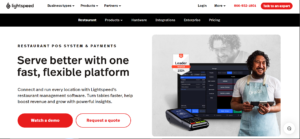
The platform advertises cloud-based restaurant POS, online ordering, delivery integrations, reporting and multi-location support. Lightspeed Order Anywhere can manage takeaway, delivery and in-house orders, while its delivery integration can send online orders directly into the EPOS rather than requiring separate tablets.
Best for:
- Busy restaurants
- Established quick-service brands
- Multi-site restaurant groups
- Operators requiring advanced analytics
- Businesses using a wider hospitality technology stack
Points to check: Lightspeed can offer extensive functionality, but an independent takeaway should determine whether it needs all the available features. Its official UK pricing page currently presents subscription plans beginning at a higher monthly level than some smaller-business alternatives, so the complete cost should be reviewed carefully.
5. Epos Now: Best for a Broad App Ecosystem
Epos Now provides restaurant and takeaway EPOS software with a broad selection of applications and integrations.
Its restaurant system can manage dine-in, takeaway and delivery sales. Epos Now Delivery advertises connections with Just Eat, Deliveroo and Uber Eats, with orders sent to the POS and then to a kitchen display or printer.
Best for:
- Businesses already using Epos Now
- Restaurants seeking a broad application marketplace
- Operators wanting cloud management tools
- Takeaways needing kitchen display integration
- Businesses requiring connections with other software
Points to check: Confirm which delivery, kitchen, loyalty and reporting features are included in the main subscription and which require separate applications or fees.
Essential Features of a Takeaway POS System
Delivery-platform integration
The system should receive online orders automatically. This reduces the need to monitor several tablets and lowers the risk of staff typing the wrong item, quantity, price or customer note.
Ask the supplier to demonstrate a real delivery order entering the POS. Do not rely only on a list of platform logos.
Direct online ordering
Large delivery marketplaces can help a restaurant reach new customers, while a branded ordering website gives the business another channel it can control.
A strong POS system should keep the website menu connected to the till so that prices, items, modifiers and availability remain consistent.
Kitchen printing and kitchen displays
Orders must reach the correct preparation area immediately.
A burger and chips may need to print at the hot-food station, while drinks print at the front counter. Larger kitchens may benefit from a kitchen display system showing new, preparing and ready orders.
Menu modifiers
Delivery menus frequently contain detailed choices, such as:
- Pizza size
- Crust type
- Extra toppings
- Spice level
- Meal upgrades
- Sauce choices
- Allergy notes
- Cooking instructions
The POS must display and print these selections clearly.
Order-type management
Staff should immediately see whether an order is for:
- Dine-in
- Collection
- Local delivery
- Delivery marketplace
- Website delivery
- Telephone collection
Clear order types reduce confusion at the counter and in the kitchen.
Integrated card payments
With an integrated card machine, the amount can pass from the POS to the payment terminal automatically. This avoids typing the total manually and can make reconciliation easier.
Restaurant owners should compare terminal rental, transaction rates, contract terms, settlement times and support rather than focusing on one advertised rate.
Cloud reporting
A cloud dashboard should help the owner compare:
- Counter sales
- Website orders
- Marketplace orders
- Collection versus delivery
- Top-selling products
- Discounts
- Refunds
- Payment methods
- Busy trading periods
- Staff activity
This information can support menu, staffing and promotional decisions.
Offline capability
A temporary internet interruption should not bring the entire counter operation to a halt. Ask what remains operational offline and which functions, such as cloud synchronisation or online order receipt, require a connection.
How to Choose the Right POS System
Before purchasing, ask each supplier to demonstrate the following workflow:
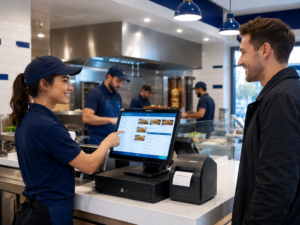
- A customer places a delivery order.
- The order appears on the POS.
- The correct item modifiers are displayed.
- The order reaches the kitchen.
- Staff update its status.
- The payment is recorded.
- The order appears in the correct sales report.
You should also request a written breakdown covering:
- Hardware cost
- Monthly software charges
- Delivery-platform integration fees
- Online ordering charges
- Card-payment rates
- Installation and menu setup
- Training
- Support hours
- Contract length
- Cancellation terms
- Replacement hardware
- Additional-terminal costs
The cheapest headline price may not represent the lowest total cost.
Common Mistakes to Avoid
Choosing a generic retail till
A standard retail POS may process payments but lack delivery orders, modifiers, meal deals, kitchen routing and preparation statuses.
Keeping several disconnected tablets
Separate delivery tablets can create duplicate work and increase the risk of missed or incorrectly entered orders.
Ignoring direct ordering
Relying entirely on third-party marketplaces can leave the restaurant without a direct digital relationship with its regular customers.
Buying before seeing a demonstration
A feature list does not show how quickly staff can take an actual order. Test the system with your own menu and most complicated meal options.
Focusing only on hardware
The touchscreen is only one part of the system. Software reliability, integrations, payment processing, reporting, onboarding and support determine whether it works effectively every day.
Why Consider Switch & Save?
Switch & Save provides an AI-powered hospitality EPOS system built for UK restaurants, cafés and takeaways.
Depending on the selected setup, the system can include:
- Counter, takeaway, collection and delivery orders
- Uber Eats, Just Eat and Deliveroo integration
- A branded online ordering website
- Kitchen printing
- Kitchen display screens
- Integrated card payments
- Cash-drawer management
- Menu modifiers and meal deals
- Cloud sales and VAT reporting
- Multi-location management
- Setup, menu migration and training
Businesses requiring capital for equipment, refurbishment, stock or growth may also explore business finance options, subject to eligibility and the finance provider’s terms.
Switch & Save helps UK businesses reduce costs with AI-powered EPOS systems, card payment solutions and business finance.
Frequently Asked Questions
What is the best POS system for a small takeaway?
A small takeaway should prioritise quick order entry, modifiers, kitchen printing, card payments and dependable support. Switch & Save and Square are both relevant options, but the better choice depends on the required delivery integrations and level of setup assistance.
Can a POS system connect to Uber Eats, Just Eat and Deliveroo?
Yes. Several restaurant POS platforms support these services either directly or through an integration partner. Always confirm which platforms are currently supported and whether additional charges apply.
Do I need separate tablets for delivery apps?
Not necessarily. An integrated POS can bring marketplace orders into one order-management screen and send them to the kitchen automatically.
What is the difference between takeaway and takeout POS software?
The terms normally describe the same type of system. “Takeaway” is the more common term in the UK, while “takeout” is used more frequently in North America.
Can customers order directly from my restaurant website?
Yes, provided the POS supports connected online ordering. Switch & Save, Square, Flipdish and Lightspeed all advertise online ordering capabilities, although the setup and charging models differ.
Does a takeaway POS system manage delivery drivers?
Some systems provide dispatch, driver assignment or connections with delivery-management services. This is not included in every POS package, so restaurants using their own drivers should request a demonstration of the complete dispatch process.
Can the system print different items to different kitchen stations?
A restaurant-focused EPOS should be able to route products by category. For example, food can print in the kitchen while drinks or desserts print at another station.
How much does a takeaway POS system cost?
The cost depends on the terminal, printers, kitchen screens, software plan, delivery integrations, online ordering, payment processing and support. Compare the total first-year and ongoing costs instead of looking only at the hardware price.
Is cloud-based POS suitable for a takeaway?
Yes. Cloud reporting allows owners to review sales and manage information remotely. However, the business should also understand how the till behaves during an internet outage.
What should I ask during a POS demonstration?
Ask the supplier to process one realistic order from each channel you use, including modifiers, kitchen printing, payment, refund and reporting. This provides a much clearer test than a general presentation