

Yes, licensed premises across England and Wales can now accept certified digital proof of age for alcohol sales, provided it comes through a registered Digital Verification Service. You should update your licence policy now, choose a provider from the Gov, and get your EPOS and staff ready before you switch anything on.
TL;DR:
- Digital proof of age must come from a registered DVS provider confirmed on the official government register to ensure compliance.
- Programmatic DVS checks are preferred because they verify age automatically without storing personal identity data on the till.
- Offline policies are crucial for maintaining sales restrictions during internet outages, especially for small venues.
- Staff must still follow Challenge25 guidelines and log refusals with key details, storing records separately from customer data.
- Integrating DVS checks directly into existing EPOS systems offers a more reliable and streamlined solution than bolt-on verification apps.
Table of Contents
- What the 2026 licensing change requires of licence holders
- How POS age verification works: options at the till
- Implementation checklist: adding DVS checks to your EPOS and till flow
- Staff training, refusals logging and inspection readiness
- Switch&Save perspective: why integrated EPOS age checks usually work better
- Book a Switch&Save demo built around DVS compatibility
- Sources
- FAQ
What the 2026 licensing change requires of licence holders
The government’s announcement confirms that certified digital proof of age is now permitted for alcohol sales, delivered by services on the official DVS register. This sits inside the Licensing Act 2003 framework, updated by the Mandatory Licensing Conditions (Amendment) Order 2026, which sets out exactly when digital ID can replace a passport or driving licence at the till.
The rules are specific, not a free pass to accept any app that shows an age badge. Three terms matter here:
- Registered DVS: a provider certified and listed on the government’s register, not just any identity app.
- Medium level of confidence: the minimum assurance standard the order requires for age checks tied to alcohol sales.
- Binding: the technical link between the person presenting the ID and the credential itself, so the check can’t be spoofed with a screenshot.
Guidance on the enabling digital identity blog is blunt about the biggest mistake retailers are likely to make: staff glancing at a phone screen and nodding it through. That’s not compliant. A registered DVS has to confirm the check programmatically, not visually, which is the whole point of the framework.
Pro Tip: Before you sign anything, check the provider’s name against the DVS register yourself. Don’t take a sales rep’s word for it that they’re certified.
The operational upshot is simple: you need a written agreement with a Digital Verification Service Provider (DVSP), and someone in your business responsible for confirming that agreement stays current as the register updates.
How POS age verification works: options at the till
Most UK retail age verification solutions now fall into one of three patterns, and none of them require your till to become an identity database.
Programmatic DVS checks. The customer’s digital ID app talks directly to the verification service, which returns a simple yes/no age assertion, typically “18+ confirmed”, to your EPOS. No date of birth, no address, no photo lands on your system. This is the model GOV.UK expects to become standard, and it’s the cleanest from a data protection standpoint because your till never actually holds identity data.
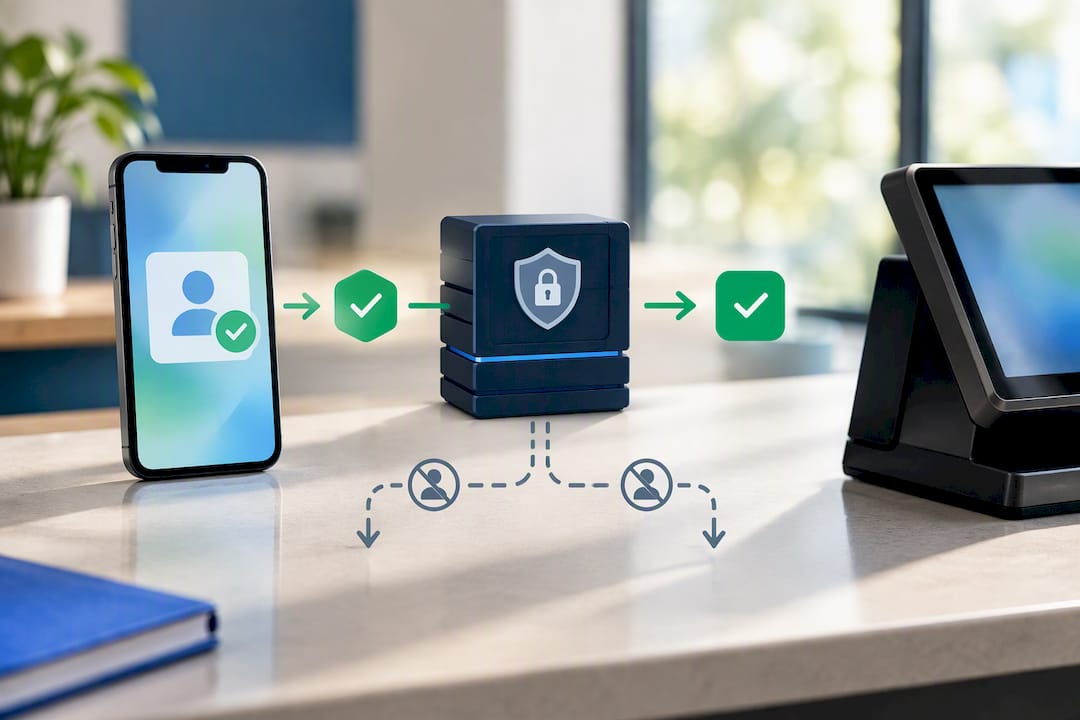
QR and NFC scan flows. The customer presents a QR code or taps an NFC-enabled card or phone at a reader connected to your POS. This needs compatible hardware, usually a scanner or NFC-capable terminal, and software that can call the DVSP’s verification endpoint in real time.
Till prompts with physical fallback. Even fully digital setups need a manual path. Practical age restriction software UK retailers use typically includes:
- Automatic age prompts triggered by an age-restricted barcode or SKU.
- A visible “ask for ID” flag on the till screen before the sale completes.
- A physical ID fallback for any customer without a digital option, or when connectivity drops.
That last point matters more than most retailers expect. If your internet goes down mid-Saturday-night rush, your staff need a documented offline policy, not improvisation. Programmatic checks only work while the connection does.
Implementation checklist: adding DVS checks to your EPOS and till flow
Rolling out compliant point of sale age verification doesn’t need to happen overnight, but it does need a sequence. Skipping steps is how businesses end up with a system that technically works but fails an inspection.
- Confirm your licence conditions. Check what your local authority expects and write a short internal policy stating which forms of ID, physical and digital, your premises accepts.
- Choose a registered DVSP. Cross-check any provider against the DVS register and confirm, in writing, the level of confidence they declare and how binding is handled.
- Audit your EPOS software. Check for API or webhook support, QR/NFC reader compatibility, and what happens automatically when the connection drops. Our EPOS system guide covers what to look for when assessing whether your current till can even support this.
- Run a sandbox test. Before it touches a live till, test the integration with a handful of transactions and confirm the age assertion actually reaches your EPOS correctly.
- Beta it with a small staff group. Let two or three trusted staff run it for a week before wider rollout, and log every hiccup.
- Roll out in stages. Expand site by site or shift by shift rather than switching every terminal at once.
- Update signage and till prompts. Customers need to know digital ID is accepted, and staff need an on-screen reminder of the policy.
- Set your logging and retention rules. Store only outcome, timestamp, and operator ID. Keep verification logs separate from loyalty or transaction data, and set a retention period rather than keeping everything indefinitely.
Pro Tip: Small venues often stall not on the technology but on the offline plan. Decide now what happens when the connection drops during a Friday night rush, not after it happens.
Operational readiness, not the technology itself, tends to be what trips up smaller venues during rollout, according to the government’s own explanatory memorandum on the order. A staged approach with a clear offline fallback avoids most of that pain.
Staff training, refusals logging and inspection readiness
Digital checks don’t replace Challenge25. Your staff still need to ask for ID from anyone who looks under 25, as ACS guidance sets out, whether the ID offered is physical or digital.
When a sale is refused, log it properly. Capture:
- Date and time of the refusal.
- The item or category involved.
- The staff member’s operator ID (not their name on a public log).
- A short reason, such as “no ID presented” or “DVS check failed”.
Keep this log separate from customer records and store it securely, in line with general POS data protection practice.
Pro Tip: Give staff a simple, non-confrontational script for refusals, something like “I’m not able to serve this without valid ID, it’s a legal requirement on my end.” Clear signage at the till backs them up and reduces arguments.
Switch&Save perspective: why integrated EPOS age checks usually work better
Bolting a verification app onto a till that wasn’t built for it creates gaps, duplicate records, unclear logs, no offline plan. Age checks that sit inside your EPOS, rather than alongside it, keep the assertion simple (“18+ yes”) and the record trail in one place.
We help retail and hospitality businesses assess whether their current setup is DVS-ready, and where it isn’t, what needs to change. The pitfalls we see repeatedly: retaining more identity data than needed, no fallback when the connection drops, and staff trained on the technology but not the policy behind it.
— Amir
Book a Switch&Save demo built around DVS compatibility
Switching your till over for age checks shouldn’t mean months of back and forth with a supplier who doesn’t understand licensing conditions. EPOS packages typically include support and transparent pricing, aiming to avoid hidden costs, so you understand the pricing before you commit.

If you run a pub, bar, or restaurant, the Hospitality EPOS Bundle at £549 one-off, plus AI-powered cloud software from £20 a month, is built for venues that need fast checkout alongside age-restricted sale prompts. Retail shops handling higher transaction volumes tend to fit better with the Integrated Payments Bundle, which pairs EPOS software (from £30 a month) directly with card terminal hardware for tighter integration between checkout and verification.
When you book a demo, ask us directly about DVS compatibility, logging controls, and what happens if your connection drops mid-sale. We’ll walk you through it honestly, including where a straightforward EPOS upgrade might beat a bolted-on verification app. Get in touch to arrange a demo and see which bundle fits your premises.
Sources
- Gov
- The Licensing Act 2003 (Mandatory Licensing Conditions) (Amendment) Order 2026
- How can a business be confident that a digital proof of age belongs to the person presenting it? – Enabling digital identity
- Challenge25 | ACS
FAQ
Is digital ID legal for alcohol sales in the UK now?
Yes, in England and Wales, provided the digital ID comes through a service on the government’s DVS register and meets the medium level of confidence set by the Mandatory Licensing Conditions Order. A visual check of a phone screen alone doesn’t meet the requirement.
Does my current EPOS need to be replaced to accept digital ID?
Not necessarily, but it needs to support API or webhook connections to a DVS provider, along with QR or NFC reading if you want a scan-based flow. Many EPOS systems, including Switch-and-save’s bundles, can be assessed for this compatibility before you commit to a provider.
What should I log when a sale is refused?
Capture the date, time, item type, staff operator ID, and a short reason such as “no ID presented”, stored separately from customer loyalty or transaction records. This keeps you inspection-ready without holding unnecessary personal data.
Do staff still need to ask for physical ID if digital checks are available?
Yes. Challenge25 practice still applies, and staff should ask anyone who looks under 25 for ID, whether digital or physical, and always have a physical fallback ready for customers without a digital option.
How much does it cost to add age verification to my POS?
Costs vary depending on your existing hardware and chosen DVS provider, but Switch-and-save’s Hospitality EPOS Bundle starts at £549 one-off with cloud software from £20 a month, while other bundle pricing is available on request through the EPOS bundles catalogue.



