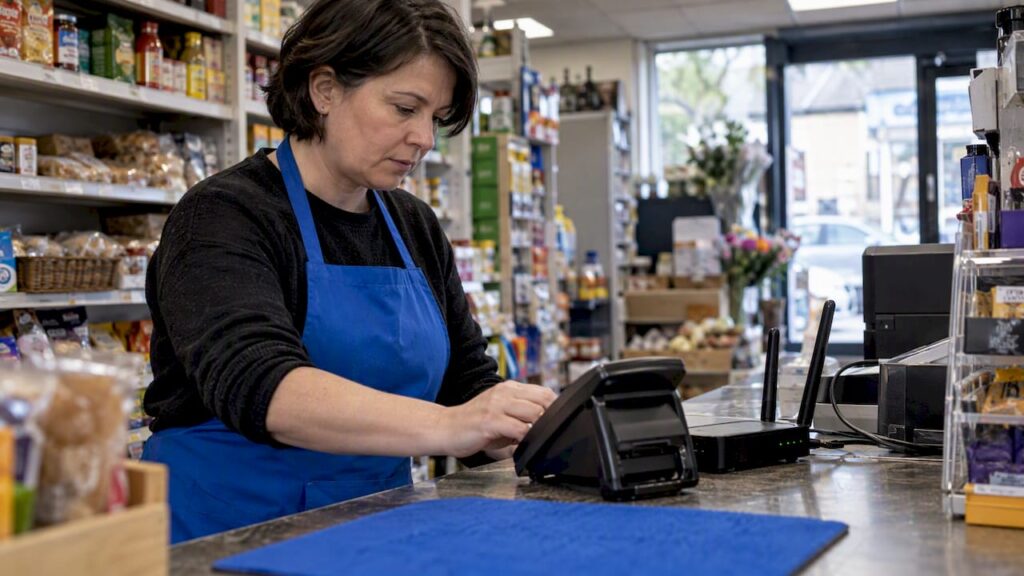
4G backup internet is a secondary mobile connection that automatically takes over when your main broadband drops, keeping devices, payments and calls online until the wired line returns. It suits homes that rely on internet for work, and it matters even more for shops, cafés and salons where a dead connection means a dead till. The main trade-off is mobile signal strength and data limits, which decide how well the backup performs when you need it most.
TL;DR:
- Signal strength and external antennas significantly impact backup performance, especially during poor reception or network congestion.
- Testing failover monthly by simulating outages ensures reliable operation and prevents surprises during actual failures.
- QoS controls and dual or multi-SIM setups are crucial for prioritizing critical traffic like payments and VoIP during backup use.
- Routers with clear failover settings such as WAN priority, offline detection, and failback options improve backup stability.
- A simple setup with a plug-in 4G router and PAYG SIM may suffice for home use, while business needs demand external antennas and redundancy.
Table of Contents
- What 4G backup is and how it actually works
- Hardware and router choices that support 4G failover
- SIM cards, data plans and cost considerations for backup use
- Setup checklist: key configuration steps and common pitfalls
- Testing and maintenance: how to verify your 4G backup really works
- Choosing for home vs small business, including EPOS and VoIP needs
- Perspective: keeping payments online when the connection drops
- What the setup guides don’t tell you
- How we help reduce outage impact for EPOS users
- FAQ
- Sources
What 4G backup is and how it actually works
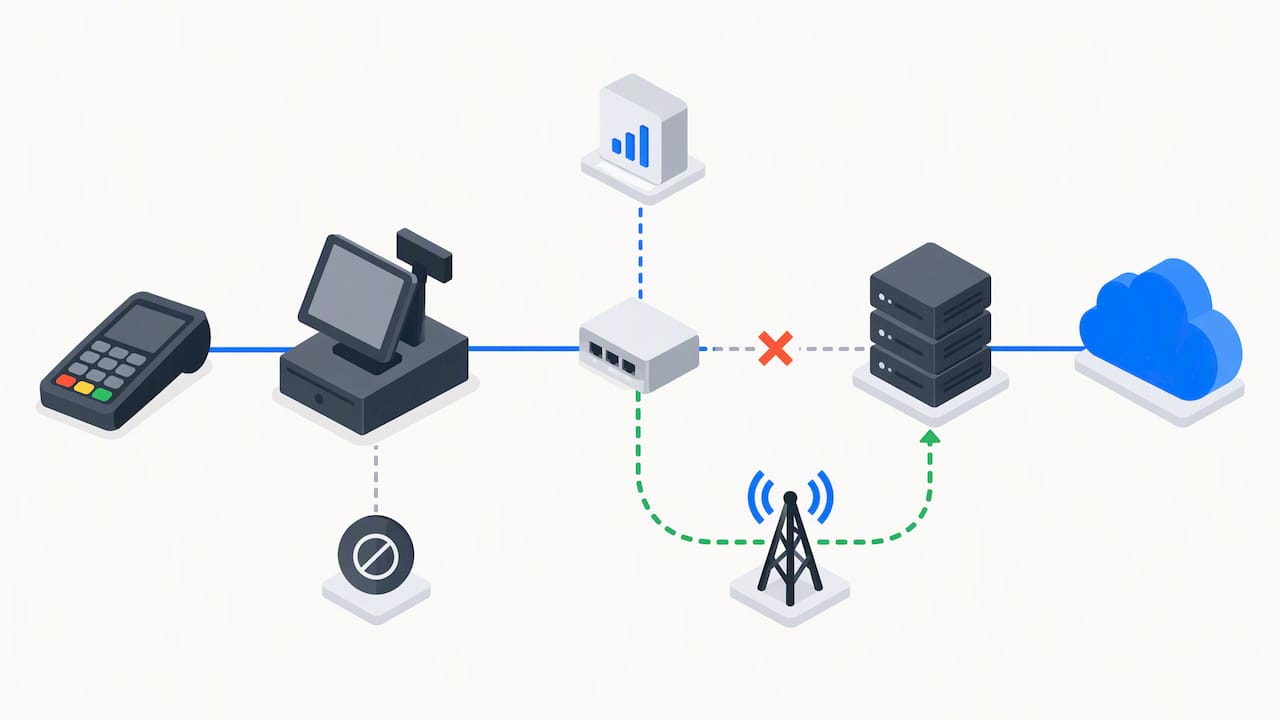
4G backup, also called failover, means your router switches from broadband to a mobile data connection the moment it detects the main line is down. Most setups use one of four approaches:
- Dual-WAN routers with two physical ports, one for broadband and one for a 4G source.
- SIM-in-router devices with a slot built into the router itself.
- USB modems or dongles plugged into a router that supports them.
- SIM-enabled mesh systems, such as Deco units, where the main unit holds the SIM.
Routers detect an outage through DNS lookups, ping tests to a known server, or simply noticing the physical WAN link has dropped, as TP-Link’s backup setup guide explains. Once broadband returns, the router fails back automatically, though this isn’t instant and some devices stay pinned to the mobile path briefly. Performance still depends on signal strength, local mast congestion and latency, so backup is a safety net, not a like-for-like replacement.
Hardware and router choices that support 4G failover
Three categories cover most needs: dedicated 4G or 5G routers, dual-WAN routers with a separate mobile port, and SIM-enabled mesh units that double as your main Wi-Fi system. TP-Link’s Deco backup guide shows how the main Deco unit takes a SIM and switches automatically, with outage detection and data settings handled in the app.
When comparing devices, prioritise:
- An external antenna port, since built-in antennas struggle in weak-signal areas.
- WAN priority settings so you control which connection leads.
- QoS controls to protect critical traffic like card payments.
- SIM management or eSIM support for easier provider switching.
Vendors label these settings differently, but look for “WAN priority”, “Allow Failback” and “Offline detection” in the menus; these are the controls that actually decide how your backup behaves. Asus’s dual-WAN support page documents a similar set of failover and detection options, useful if you’re comparing routers before buying.
Pro Tip: Check a router’s spec sheet for “dual-WAN” or “4G backup” explicitly, rather than assuming any router with a USB port will support failover.
SIM cards, data plans and cost considerations for backup use
A spare contract SIM, a dedicated backup SIM, or a simple PAYG SIM all work, and the right choice depends on how often you expect to use it. Multi-SIM or dual-SIM strategies also add resilience where one network has a local blackspot, a point Worcestershire County Council’s connectivity guidance makes when recommending backup redundancy as networks retire older technology.
Data needs to vary by task:
- EPOS transactions and emails use very little data per session.
- VoIP calls consume a steady trickle for their duration.
- Video calls are the heaviest regular user of backup data.
Because usage is unpredictable during an outage, set caps and alerts wherever your router or Deco app allows it, and route critical traffic through QoS so payments and calls get priority over anything else trying to use the connection.
Setup checklist: key configuration steps and common pitfalls
Getting failover working reliably is mostly about order of operations:
- Insert the SIM and confirm it’s recognised before anything else.
- Set WAN priority so broadband leads and 4G sits as backup.
- Choose a detection method, DNS lookup or ping, and set a sensible check interval.
- Configure QoS and static routes so EPOS terminals and VoIP devices get priority on the backup link.
- Test the switch manually before you ever need it for real.
Common pitfalls include never testing failover until it’s needed, letting large automatic updates run while on backup data, poor antenna placement that starves the connection of signal, and forgetting that a power cut takes the router down too. A small uninterruptible power supply for your router and modem solves that last problem and is often overlooked.
Pro Tip: Label your router’s WAN ports and SIM slot physically, so anyone on-site during an outage, not just you, can confirm backup is engaged.
Testing and maintenance: how to verify your 4G backup really works
A failover setup you’ve never tested is a guess, not a plan. Simulate an outage by unplugging the broadband WAN cable and watching whether the switch happens automatically, how long it takes, and whether active sessions (card payments, calls) survive or need restarting.
- Check DNS resolution works properly once you’re on the backup path.
- Confirm devices reconnect to services like EPOS cloud sync and VoIP after failback.
- Some routers don’t clear NAT or connection tables automatically on switchover, so a manual reboot of the router or affected devices may be needed as part of the test, not just the recovery.
Scheduled, logged testing is a recognised resilience practice: the telecoms modernisation charter treats regular verification, not “set and forget” installation, as what actually separates businesses that stay operational from those that don’t. Test monthly at a minimum, and keep a simple log of what happened.
Choosing for home vs small business, including EPOS and VoIP needs
Home users generally need less: a plug-in 4G router, a PAYG SIM, and an occasional manual check is enough for most households that just want email and browsing to survive an outage.
Small businesses and EPOS-reliant sites need a stricter setup:
- An external antenna for consistent signal strength.
- Battery backup so a power cut doesn’t take the till down too.
- QoS and dual or multi-SIM redundancy for sites that can’t tolerate downtime.
- Managed monitoring, where available, to catch failures before staff notice.
Latency and packet loss matter far more for EPOS and VoIP than for casual browsing. A slow page load is an inconvenience, but a dropped card payment or a garbled call is a lost sale or a frustrated customer, which is why QoS prioritisation matters more for these use cases than raw download speed.
Perspective: keeping payments online when the connection drops
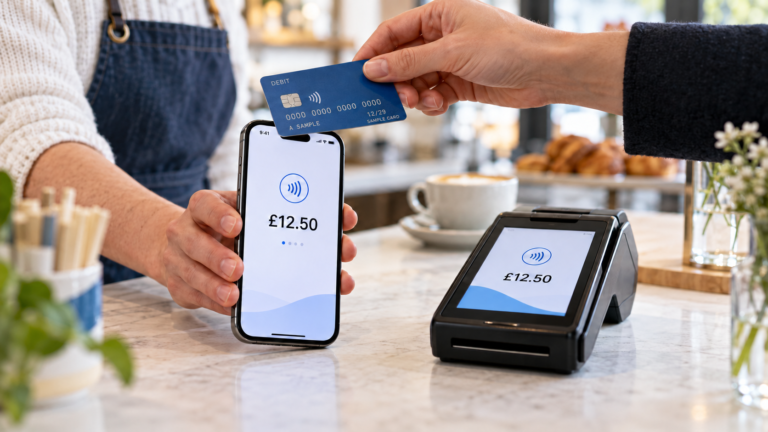
Payment failure during an outage rarely looks like a dramatic crash, making reliable club ticketing and payment systems essential for venues to keep sales flowing. It’s usually a card machine spinning indefinitely or an EPOS terminal stuck mid-sale while staff improvise. Pairing 4G backup with EPOS offline modes and remote monitoring catches most of this before it reaches the counter, which is the mitigation that tends to matter most in practice.
What the setup guides don’t tell you
Most guidance on this topic treats 4G backup as a box-ticking exercise: buy a dual-WAN router, insert a SIM, done. That’s where the advice usually falls short. A router configured for failover and never tested is functionally no different from one with no backup at all, because the first time it’s called on is during a real outage, when a misconfigured detection setting or a flat SIM becomes obvious at the worst possible moment.
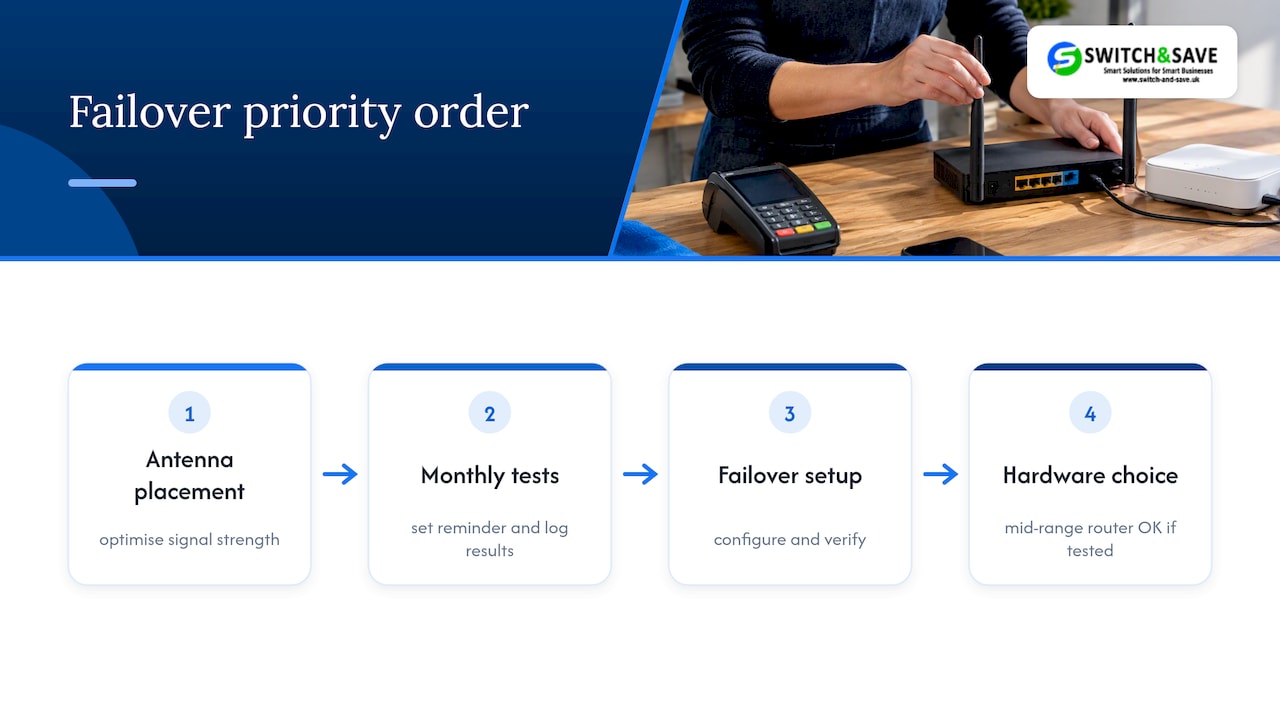
The priority order most businesses get backwards: they spend on hardware before they’ve worked out antenna placement, and they set up failover before they’ve scheduled a single test. Signal strength and testing discipline matter more than which router you buy, within reason. A mid-range dual-WAN router with a good external antenna and a monthly test routine will outperform an expensive router left untouched since installation.
If you take one thing from this, make it the test schedule, not the shopping list. Set a calendar reminder, log the result, and treat failover like a smoke alarm: useless if you’ve never checked whether it works.
— Amir
How we help reduce outage impact for EPOS users
4G backup protects your internet connection, but it’s only half the picture if your till system has no way to keep trading when that connection genuinely drops. Our Integrated Payments Bundle pairs EPOS hardware with offline-capable software, so sales keep recording even during a disruption, and UK-based support is there when you need help getting things running again.

If you’re weighing up connectivity options alongside your till setup, our team offers free demos so you can see how an EPOS bundle handles an outage before you commit. Request a demo through our hospitality EPOS bundle page and talk through what fits your site.
FAQ
Can you have a backup internet connection?
Yes, most homes and businesses can add a backup connection using a 4G or 5G router, a dual-WAN router, or a SIM-enabled mesh system. The backup activates automatically when the main broadband line fails, using mobile data instead.
Which router has 4G backup?
Several TP-Link and Asus routers support 4G backup, including dual-WAN models and SIM-enabled Deco mesh units, as both vendors document in their setup guides. Look specifically for “dual-WAN” or “4G/5G backup” in the product specification rather than assuming any router with a USB port qualifies.
Is there a router with built-in 4G backup?
Yes, several manufacturers sell routers with a SIM slot built in specifically for backup use, alongside separate mesh systems like TP-Link’s Deco range that support the same function. These let you insert a SIM directly rather than relying on a USB dongle.
What is the best backup internet for home?
For most households, a plug-in 4G router with a PAYG SIM offers a simple, low-cost backup that covers email and browsing during an outage. Businesses with heavier needs, such as EPOS or VoIP, typically need an external antenna and QoS settings for more consistent performance.
Sources
- Telecoms modernisation: critical national infrastructure charter
- How to set up 3G/4G/5G Backup on TP-Link LTE router under wireless router mode
- Mobile connectivity advice | Worcestershire County Council