If you’ve ever tried to piece together a till system, receipt printer, barcode scanner, and stock management software separately, you already know the headache. A retail POS bundle solves that problem by combining all the hardware and software you need into one pre-matched package. Many small and medium UK retailers still think POS systems are complicated and costly to set up, but the reality has shifted considerably. This guide explains exactly what a retail POS bundle includes, what to look for, and how to choose one that fits your business from day one.
Table of Contents
- Understanding retail POS bundles and their components
- Benefits of retail POS bundles for small and medium UK businesses
- Comparing retail POS bundles: features and pricing
- How to choose the right retail POS bundle for your business needs
- Maximising your retail POS bundle investment
- The future of retail POS bundles: why pre-packaged solutions are the way forward
- Explore Switch&Save retail POS bundles tailored for UK businesses
- Frequently asked questions
Key Takeaways
| Point | Details |
|---|---|
| Retail POS bundles | Combine hardware and software to streamline sales and operations for retailers. |
| Efficiency boost | Bundles reduce setup time by up to 70% with pre-matched compatible components. |
| Inventory control | Real-time inventory management reduces stock errors and improves accuracy. |
| Cloud benefits | Cloud-based bundles support multi-location management and remote access. |
| Informed choice | Understanding features and costs helps select the right POS bundle for your business. |
Understanding retail POS bundles and their components
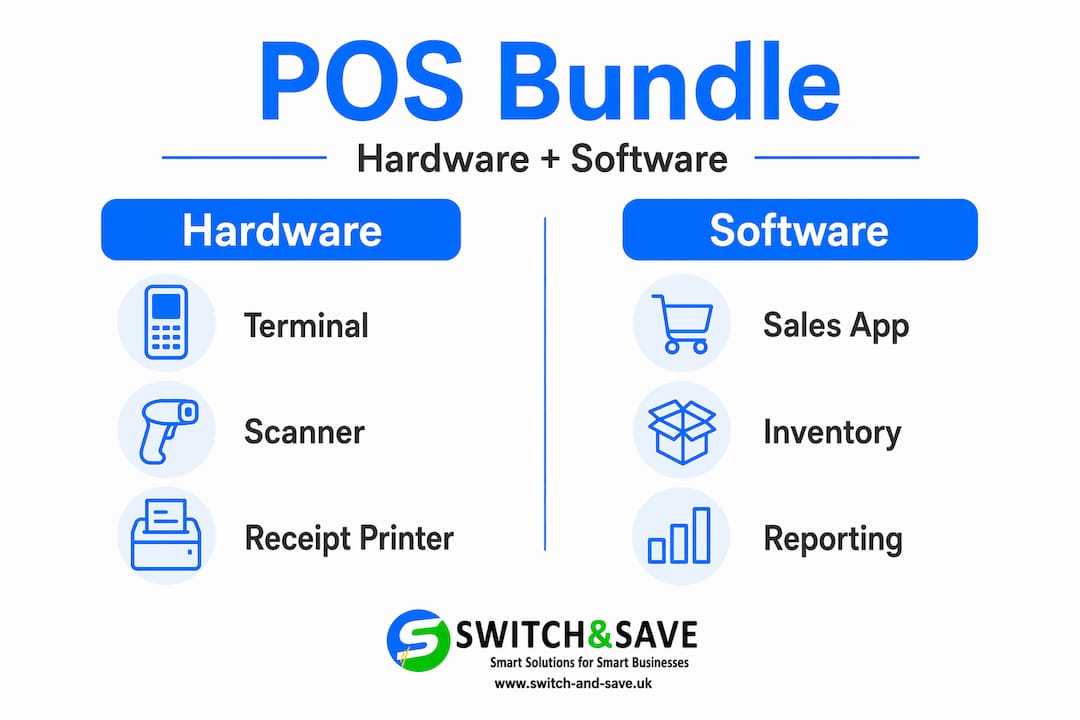
A point-of-sale system is a combination of hardware and software that businesses use to process transactions. A retail POS bundle takes that concept further by packaging everything together so you are not hunting for compatible parts or dealing with mismatched software drivers.
Here is what a typical retail POS bundle includes:
- Touchscreen terminal for processing sales and navigating the software interface
- Barcode scanner for fast, accurate product lookup at the till
- Receipt printer for customer-facing paper or email receipts
- Cash drawer for secure cash handling
- Card payment reader for contactless, chip, and PIN transactions
- POS software for managing sales, inventory, promotions, and customer data
The software side is where modern bundles really earn their place. Cloud-based software means your data lives online, accessible from any device with an internet connection. You can check yesterday’s sales from home, update stock levels remotely, and run end-of-day reports without being on-site. Most retail and hospitality POS bundles now operate on subscription models, so your software stays updated automatically without you lifting a finger.
The key advantage of a bundle over building your own system is pre-matched compatibility. Every component has been tested to work together. No wasted hours figuring out why the scanner will not talk to the software. You receive it, set it up, and start selling. You can browse EPOS bundle options to get a clearer picture of what a ready-to-go retail package looks like in practice.
Benefits of retail POS bundles for small and medium UK businesses
Now that we know what POS bundles are, let us explore why they matter for your business.
The most immediate benefit is speed. Bundles reduce setup time by 50 to 70% for SMEs through pre-matched hardware and software compatibility. For a small retailer or café owner, that is the difference between being operational in an afternoon versus spending a week troubleshooting connections.
“80% of UK retail adopts cloud EPOS bundles for multi-location scaling without on-site servers, substantially reducing operational headaches.”
Here are the benefits you will notice most quickly:
- Faster deployment so you are serving customers sooner
- Reduced technical hassle because everything arrives pre-configured
- Central control across multiple locations through a single cloud dashboard
- Real-time inventory visibility so you know exactly what is in stock at every site
- Smarter purchasing decisions driven by live sales data rather than guesswork
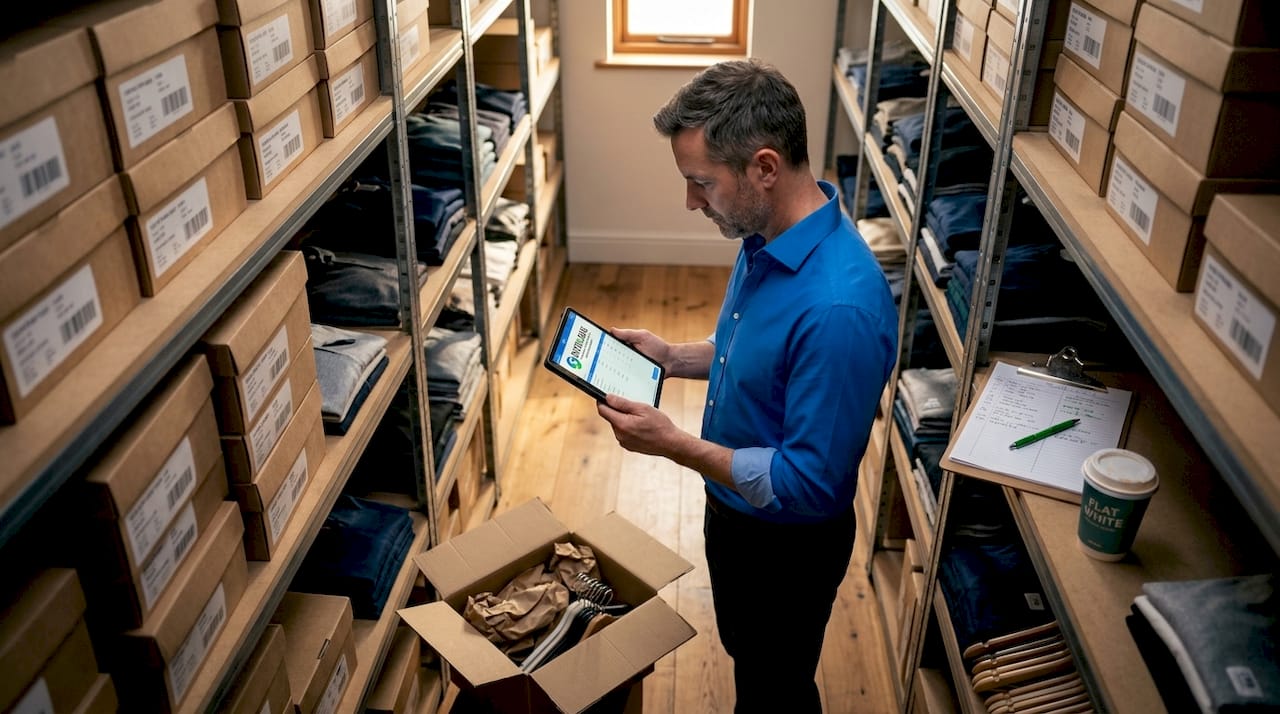
Inventory management is where many small businesses quietly haemorrhage money. EPOS bundles provide real-time multi-site inventory visibility, preventing 20 to 30% stock discrepancies common in non-bundled systems. Think about what a 25% reduction in stock errors means for your margins. For a hospitality business running a kitchen and a bar, that accuracy is not a luxury, it is essential.
Cloud-based retail POS bundles also make scaling far less painful. Adding a second location does not require installing a new server or hiring an IT contractor. You simply add the hardware, connect it to your existing account, and your new site is live. For guidance on selecting the best EPOS solutions for your size of business, it is worth understanding what full-featured packages offer before committing.
Comparing retail POS bundles: features and pricing
With benefits clear, it helps to compare common bundle options on features and costs.
POS bundles vary widely. Some focus on payment speed, others on deep inventory control, and others on customer loyalty features. Pricing usually combines a one-time hardware cost with a monthly software subscription.
| Feature | Basic bundle | Mid-range bundle | Full retail bundle |
|---|---|---|---|
| Cloud-based software | Sometimes | Yes | Yes |
| Real-time inventory | No | Yes | Yes |
| Multi-location support | No | Limited | Yes |
| Customer loyalty tools | No | Basic | Advanced |
| Hardware included | Partial | Full set | Full set |
| Monthly software fee | Low | Mid | Higher |
| Payment integration | Basic | Most methods | All methods |
| Analytics and reporting | Basic | Detailed | Advanced |
Entry-level plans can start from around $19 per month with real-time multi-location inventory features, making bundled solutions accessible for businesses managing stock across more than one site.
When comparing bundles, focus on these essentials:
- Does the software update automatically, or do you manage that manually?
- Is the inventory management real-time, or does it sync on a delay?
- Can you integrate with your existing accounting software?
- What does the support package include, and is it UK-based?
Pro Tip: Do not make your decision on hardware spec alone. A cheaper terminal paired with genuinely capable cloud software will outperform an expensive terminal running limited software every single time. Software is where your daily operational gains come from.
When you are ready to compare retail POS bundles side by side, pay attention to what each tier includes in terms of ongoing support, not just the upfront price.
How to choose the right retail POS bundle for your business needs
Understanding what to look for makes it easier to choose a POS bundle tailored to your business.
There is no single best bundle. The right choice depends entirely on how your business operates. Work through these steps before making any decision.
- Assess your transaction volume. A busy high street café processes hundreds of transactions daily. A boutique may process thirty. Your software needs to keep pace without slowdowns.
- Count your locations. If you run one shop, a standalone bundle works fine. Two or more locations demand cloud-based, multi-site inventory management as a non-negotiable.
- List your must-have features. Do you need age verification prompts? Table management for hospitality? Customer loyalty points? Write these down before you start comparing.
- Set a realistic total budget. Factor in both the upfront hardware cost and the monthly software fee across twelve months. That gives you the true annual cost of ownership.
- Check integration compatibility. Your POS should connect with your accountancy software, your payroll system, and any online ordering platforms you use.
- Evaluate the support offering. UK-based phone support matters enormously when your till goes down during a Saturday afternoon rush. Ask specifically about response times.
Pro Tip: Before signing anything, run a demo with your actual team. Staff adoption is the single biggest factor in whether a new POS system delivers its promised benefits. If your team finds the interface confusing in a demo, it will not improve under pressure on a busy trading day.
For a structured approach, this EPOS choosing checklist covers the specific questions UK retailers should ask. If you are still using a traditional cash register, comparing EPOS versus a traditional till puts the operational difference into clear perspective.
Maximising your retail POS bundle investment
Once chosen, here is how to get the most value from your POS bundle investment.
The system is only as good as how you use it. Many businesses buy a capable bundle and then use roughly 30% of its features. That is money left on the table.
- Train every member of staff on the core workflows before go-live. Focus on the tasks they will do repeatedly: processing a sale, handling a refund, checking stock levels.
- Schedule monthly software reviews. Cloud updates often introduce new features automatically. Set aside time each month to explore what is new and consider whether it applies to your operations.
- Use your sales reports weekly. The data your POS generates is only valuable if you act on it. Weekly reviews of your top-selling and slow-moving lines let you adjust orders before problems grow.
- Integrate with your accounts. Connecting your POS to your accountancy software eliminates manual data entry and the small errors that add up to significant discrepancies at year-end.
- Review hardware condition quarterly. A faulty barcode scanner or a slow receipt printer creates queues and frustrates customers. Preventive maintenance costs far less than emergency replacements.
Pro Tip: Use your POS data to identify your busiest trading hours and staff accordingly. Most cloud-based bundles surface this information clearly in their dashboards, but very few small business owners use it for rota planning. This alone can reduce labour costs without reducing service quality.
For more guidance on getting the most from your system day to day, these EPOS optimisation tips are worth bookmarking.
The future of retail POS bundles: why pre-packaged solutions are the way forward
Here is an opinion that might challenge your assumptions: bespoke POS setups are not more sophisticated. They are just more expensive and harder to maintain.
We have spoken to hundreds of small UK retail and hospitality owners over the years. The ones who built their own systems from scratch almost always regret it. Compatibility issues, software that stops receiving updates, hardware that outlives its supported drivers. The list goes on.
Pre-packaged retail and hospitality POS bundles have reached a level of capability that puts bespoke solutions to shame on almost every practical measure. Cloud EPOS adoption continues to rise because the operational case is undeniable. Multi-location scaling without on-site servers, automatic software updates, remote access to live data, and integrated payment processing used to require an IT department. Now it comes in a box.
The retailers falling behind are not those who cannot afford good technology. They are those who believe their current system is “good enough” while competitors gain a clearer picture of their stock, their customers, and their margins every single day.
The uncomfortable truth is this: a retailer running a cloud EPOS bundle has better business intelligence than many companies ten times their size did fifteen years ago. That data advantage compounds over time. Better purchasing decisions, fewer stockouts, faster service, more accurate accounts. Every month you delay adopting a proper bundled system is a month you are making decisions with incomplete information.
The question is not whether retail POS bundles represent the future. They are already the present. The question is whether you are using one.
Explore Switch&Save retail POS bundles tailored for UK businesses
If this guide has clarified what a retail POS bundle can do for your business, the natural next step is finding the right one.

Switch&Save offers a range of EPOS bundles built specifically for UK retail and hospitality businesses. Each package combines compatible hardware with AI-powered software, integrated payment processing, and cloud-based remote access. Whether you are running a single shop or managing several locations, there is a bundle matched to your scale. The EPOS systems come with UK-based support, transparent pricing, and free demos so you can see exactly what you are getting before you commit. You can also explore the SSPOS software powering these bundles, built to grow with your business from day one.
Frequently asked questions
What does a retail POS bundle usually include?
A retail POS bundle typically includes hardware such as a touchscreen terminal, barcode scanner, receipt printer, cash drawer, and card reader, alongside POS software for managing sales, inventory, and customer data as a complete, ready-to-use package.
How can retail POS bundles help small businesses manage inventory?
They provide real-time inventory tracking across locations and reduce stock discrepancies by up to 30%, with automated low-stock alerts that give you accurate, actionable control over what you hold at any given time.
Are POS bundles expensive for small UK retailers?
Software subscriptions can start from around $19 per month with multi-location inventory features included, and the reduction in setup time and ongoing IT costs means bundles typically cost less in total than piecing together separate components.
Can retail POS bundles support multiple store locations?
Yes. Modern cloud-based bundles are built for exactly this, with multi-location scaling handled through a central dashboard and real-time inventory visibility across all sites, without the need for on-site servers at each location.