Running a small retail or hospitality business in the UK means every pound counts. If you run a shop specifically, you may also want to check out our picks for the best EPOS for retail stores in 2026. Many owners assume they need an expensive, feature-packed EPOS system to stay competitive, but that simply isn’t true. The right system is the one that fits your business, not the one with the longest list of features. This guide breaks down how to compare EPOS options by cost, functionality, and fit, so you can make a confident, informed decision without overspending.
Table of Contents
- What is an EPOS system and why does it matter?
- How to compare EPOS system features and costs
- Should you choose a free, low-cost, or premium EPOS?
- Practical steps to maximise EPOS value in your business
- Why ‘value over features’ usually wins for small UK businesses
- Explore affordable EPOS options for your small business
- Frequently asked questions
Key Takeaways
| Point | Details |
|---|---|
| Match features to needs | Choose an EPOS system based on operational requirements, not just features or brand reputation. |
| Many options are cost-effective | Free or low-cost systems can work well for small businesses that do not need complex inventory control. |
| Fee transparency matters | Clear pricing—especially for transaction rates—helps you compare total costs and avoid surprises. |
| Upscale only when needed | You can start with a basic EPOS and upgrade as your business grows or your needs become more complex. |
| Hospitality has unique needs | EPOS systems with hospitality-specific features can improve sales and service for cafés, bars, and restaurants. |
What is an EPOS system and why does it matter?
If you want a full beginner-friendly explanation, read our guide on what is an EPOS system and how it works for UK businesses. An EPOS system, or Electronic Point of Sale system, is the combination of hardware and software that handles your sales transactions, stock levels, and business reporting. Think of it as the digital nerve centre of your daily operations. It replaces the traditional cash register and does far more than just process payments.
For small UK businesses, an EPOS system typically includes a touchscreen till, a card reader, a receipt printer, and software that ties everything together. The software tracks what you sell, updates your stock in real time, and generates reports you can actually use.
Here’s why EPOS systems matter for small businesses:
- Faster transactions. Customers move through the queue more quickly, which reduces frustration and increases throughput, especially during busy periods.
- Real-time inventory. You always know what’s in stock without manually counting shelves. Low stock alerts help you reorder before you run out.
- Simplified reporting. End-of-day reports, best-selling products, and staff performance data are all available at a glance.
- Reduced human error. Prices are set in the system, so staff can’t accidentally charge the wrong amount.
- Better customer experience. Faster checkouts, accurate pricing, and loyalty programme integration all add up to a smoother visit.
If you’re still unsure whether the investment makes sense, it’s worth exploring is an EPOS system worth it for businesses at your stage.
For hospitality businesses in particular, the right EPOS can be the difference between a smooth service and a chaotic one. Dedicated hospitality platforms handle table management, split bills, and kitchen order routing in ways a generic system simply can’t match. Square for Restaurants is a best-fit platform in the UK, with a clear 1.75% transaction rate that makes budgeting straightforward.
The core takeaway here is simple. An EPOS system isn’t a luxury. For most small UK businesses, it’s a practical tool that pays for itself through time saved, errors avoided, and better stock control.
How to compare EPOS system features and costs

With a clear understanding of what EPOS systems do, it’s time to demystify pricing and functionality to help you make an informed decision.
Not all EPOS systems are built the same, and not all businesses need the same things. A small independent café has very different requirements from a boutique clothing retailer or a busy pub. The key is knowing which features actually matter for your type of business, and which ones you’d simply be paying for without ever using.
Features that matter most by business type:
- Retail businesses need strong inventory management, barcode scanning, supplier management, and detailed sales reports.
- Hospitality businesses need table plans, order routing to the kitchen, split billing, and cover management.
- Both types benefit from staff login roles, end-of-day reports, integrated card payments, and cloud access for remote monitoring.
How EPOS pricing models typically work:
Most providers charge in one of three ways. Some use a monthly subscription fee, some charge a percentage on every transaction, and some combine both. Hidden extras, such as fees for additional users, extra locations, or premium support, can catch you off guard if you don’t read the small print.
Here’s a quick comparison of two well-known systems to illustrate the difference:
| Feature | Square for Restaurants | Lightspeed |
|---|---|---|
| Monthly fee | Free tier available | Starts around £75/month |
| Transaction rate | 1.75% (flat) | Custom quoted |
| Inventory management | Basic to moderate | Advanced |
| Multi-location support | Yes (paid plans) | Yes |
| Best suited for | Small cafés and restaurants | Larger or multi-site retailers |
| Contract required | No | Varies |
Lightspeed is described as premium-priced, starting around £75/month, with custom-quoted UK transaction rates. That can make it difficult to budget accurately upfront, which is a real concern for small businesses watching their margins closely.
Pro Tip: Always ask for a full breakdown of costs before signing up, including any fees for software updates, additional terminals, or customer support beyond the basics. What looks affordable at first glance can become costly once extras are added.
When you’re ready to look at your options side by side, it helps to compare top EPOS systems in one place rather than visiting each provider separately. You’ll save time and spot the differences more clearly.
For a broader view of what’s available, reviewing the best EPOS solutions for UK small businesses gives you a solid starting point before committing to anything.
Should you choose a free, low-cost, or premium EPOS?
Understanding both features and cost leads naturally into the decision: is free or premium the smarter choice for you?
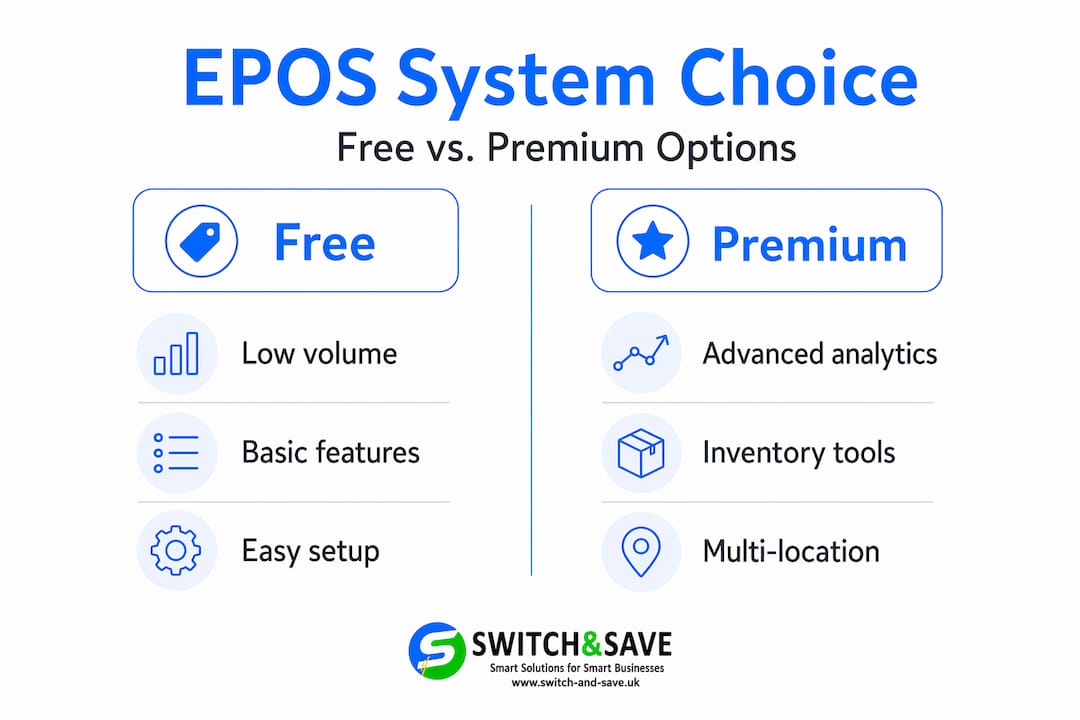
The honest answer is that it depends entirely on your business. Many small businesses only need basic tracking and simple sales, rather than complex options that come with a higher price. Paying for features you’ll never use is money wasted, plain and simple.
When a free or low-cost EPOS is probably enough:
- You run a single location with a small product range
- Your inventory doesn’t change frequently
- You don’t need advanced reporting or multi-user roles
- You process a modest number of transactions each day
- You’re just starting out and want to keep overheads low
When a premium subscription is worth considering:
- You manage stock across multiple locations
- You have hundreds or thousands of SKUs (stock keeping units) to track
- You need integrated supplier ordering, advanced analytics, or loyalty programmes
- You’re scaling quickly and need a system that grows with you
Here’s a simple table to help you match your situation to the right tier:
| Business scenario | Recommended EPOS tier | Why |
|---|---|---|
| Single-site café, low volume | Free or basic paid | Simple needs, low transaction cost |
| Independent boutique, 200+ products | Mid-tier paid | Inventory tracking is essential |
| Multi-site restaurant group | Premium | Table management, multi-location stock |
| Market stall or pop-up shop | Free tier with card reader | Minimal setup, no monthly commitment |
| Growing retail chain | Premium with integrations | Scalability and reporting depth |
Deeper inventory and integrated workflows justify higher costs only for certain business types. For everyone else, free or low-cost may be entirely sufficient.
Step-by-step guide to assessing your requirements:
- List your must-have features. Write down what you genuinely need the system to do every single day.
- Estimate your monthly transaction volume. This helps you calculate whether a flat fee or a percentage-based model saves you more money.
- Check whether you need multi-location support. If you have one site, you likely don’t need to pay for this.
- Ask about contract lengths. Month-to-month flexibility is valuable when you’re still finding your feet.
- Request a free trial or demo. Most reputable providers offer this, and it’s the best way to see whether the system suits your workflow.
Pro Tip: Use our EPOS system checklist to work through your requirements in a structured way before you approach any provider. It takes the guesswork out of the process.
Practical steps to maximise EPOS value in your business
Once you’ve chosen the right system, it’s important to use it to its fullest potential. Many businesses invest in a good EPOS setup and then only use a fraction of what it offers. That’s like buying a van and only ever using it to carry a single box.
Setting up your system to match your priorities:
- Organise your product catalogue carefully from day one. Group items logically, use clear naming conventions, and set accurate prices. Messy data leads to messy reports.
- Configure staff roles and permissions. Limit access based on responsibility. A part-time member of staff doesn’t need access to your financial reports.
- Set up low stock alerts. This is one of the most immediately useful features in any EPOS system, yet many businesses never activate it.
- Enable end-of-day reports. Even a five-minute review of daily sales data can reveal patterns that help you make smarter buying decisions.
Common pitfalls to avoid:
One of the biggest mistakes small business owners make is ignoring the reporting tools entirely. The data your EPOS collects is genuinely valuable. It tells you which products sell best, which staff members are most productive, and which times of day are busiest. Ignoring it means you’re flying blind.
Another common issue is skimping on staff training. A system is only as good as the people using it. If your team doesn’t know how to process a refund correctly or apply a discount, small errors add up over time, both financially and in terms of customer experience.
Planning for growth:
Inventory-heavy businesses or those with multiple locations can justify higher monthly subscriptions for richer stock and payment integrations. But it’s worth starting lean and upgrading only when your needs genuinely demand it. Most good EPOS providers make it straightforward to move up a tier without losing your data or having to start from scratch.
If you want to understand the full range of what modern systems can do, reviewing the features of top EPOS solutions gives you a clear picture of what’s possible as you grow.
Why ‘value over features’ usually wins for small UK businesses
Having reviewed practical steps, it’s worth challenging one of the most persistent assumptions in the industry.
The EPOS market is full of providers competing on feature lists. More integrations, more analytics, more automation. And it’s easy to be dazzled by all of it. But here’s the uncomfortable truth: for most small UK businesses, a longer feature list doesn’t mean better outcomes. It often means more complexity, more cost, and more time spent managing a system rather than running your business.
We’ve seen this pattern repeatedly. A small independent retailer signs up for a premium platform because it looks impressive. Within a few months, they’re using about 20% of the features, paying for the other 80%, and frustrated that the system feels overcomplicated for their daily needs. Meanwhile, a competitor running a simpler, cheaper setup is processing sales faster, keeping their costs lower, and spending more time on the shop floor.
The EPOS ROI for small businesses argument isn’t just about what a system can do. It’s about what it actually does for your business, day in and day out.
Our view is straightforward. Start with a system that covers your genuine needs cleanly and affordably. Use it well. Learn from the data it gives you. Then, and only then, consider whether upgrading adds real value. Many thriving small businesses operate brilliantly on basic or mid-tier systems for years before complexity genuinely justifies a step up.
The businesses that struggle are usually the ones that either underinvest entirely (still using a manual till in 2026) or overinvest in systems they can’t fully use. The sweet spot is in the middle, and it’s more accessible than most people think.
Explore affordable EPOS options for your small business
If you’re ready to take the next step, here’s where you can review and compare affordable, fit-for-purpose EPOS options for your business.
At Switch & Save, we offer EPOS packages designed specifically for UK retail and hospitality businesses. Whether you need a straightforward setup for a single-site café or a more capable solution for a growing retail operation, our bundles are built to match real business needs without unnecessary extras.

👉 Our standard, premium, retail, and hospitality packages give you flexibility to start at the right level and scale when you’re ready. Explore the Switch&Save EPOS system to find the right plan for your business. All packages include transparent pricing, UK-based support, and a free demo so you can see exactly what you’re getting before you commit. Visit switch-and-save.uk to explore your options and request a no-obligation demo today. The right EPOS system is closer, and more affordable, than you might expect.
Frequently asked questions
What does an EPOS system cost a small UK business?
Costs vary from free to well over £75 per month depending on the provider and plan. Lightspeed starts at around £75/month, while Square for Restaurants offers a flat 1.75% transaction rate with no monthly fee on its basic tier.
Do I need to pay for a premium EPOS system if my shop is small?
Not necessarily. Free or low-cost tiers typically suffice unless you require deeper inventory management or integrated payment features across multiple locations.
Which EPOS is best for cafés or restaurants?
For hospitality businesses, Square for Restaurants is a best-fit option in the UK, offering a 1.75% transaction rate alongside hospitality-specific features like table management and kitchen order routing.
Do all EPOS providers disclose their transaction fees?
No. Some providers, including Lightspeed, do not publish UK transaction rates openly and instead provide custom quotes, which can make direct comparisons more difficult.