Running a hospitality business in the UK is demanding enough without overpaying for your EPOS system. Yet thousands of small restaurants, cafés, and bars are locked into contracts that cost far more than the headline price suggests. The assumption that all providers offer similar value is one of the most expensive mistakes a business owner can make. This guide breaks down exactly where costs hide, how to compare providers properly, and why switching to a more transparent solution could save you a significant amount every single year.
Table of Contents
- Why most hospitality businesses overpay for EPOS
- How to calculate the real cost of hospitality EPOS
- Essential features for efficient hospitality operations
- Iposg vs Switch&Save: real-world comparison for UK hospitality
- How to switch EPOS and avoid costly disruption
- Why focusing on total cost beats chasing the lowest headline price
- Get more value for your hospitality EPOS investment
- Frequently asked questions
Key Takeaways
| Point | Details |
|---|---|
| Total cost matters most | Focus on the real cost including hardware, add-ons, and contracts—not just the monthly subscription. |
| Hidden fees are common | Many EPOS providers add costs for essential features and long contracts, inflating your bill over time. |
| Essential features checklist | Table management, integrated payments, and kitchen order routing are must-haves for hospitality. |
| Switching can be smooth | A planned switch with bundled solutions and proper training minimises disruption and keeps service running. |
Why most hospitality businesses overpay for EPOS
To understand what really drives your costs, it is vital to look behind the marketing headlines.
Many providers advertise low monthly fees to get you through the door. But the real price only becomes clear once you start adding the features you actually need to run a hospitality business. Hidden EPOS system costs are far more common than most buyers realise, and they add up quickly.
“The sticker price is rarely the real price. Add-ons, integrations, and support fees can easily double what you expected to pay within the first year.”
Common hidden costs include:
- Additional user licences charged per staff member or terminal
- Table management modules sold separately from the base package
- Kitchen display system (KDS) integration as a paid add-on
- Payment processing fees that vary by card type or volume
- Priority support locked behind premium tiers
- Onboarding and training fees not mentioned upfront
As MobileTransaction highlights, hidden add-on fees and contract lock-ins with leading EPOS providers can inflate long-term costs dramatically. Providers like Epos Now and Iposg often lead with competitive entry prices, but the full picture looks very different once you factor in every module your business requires.
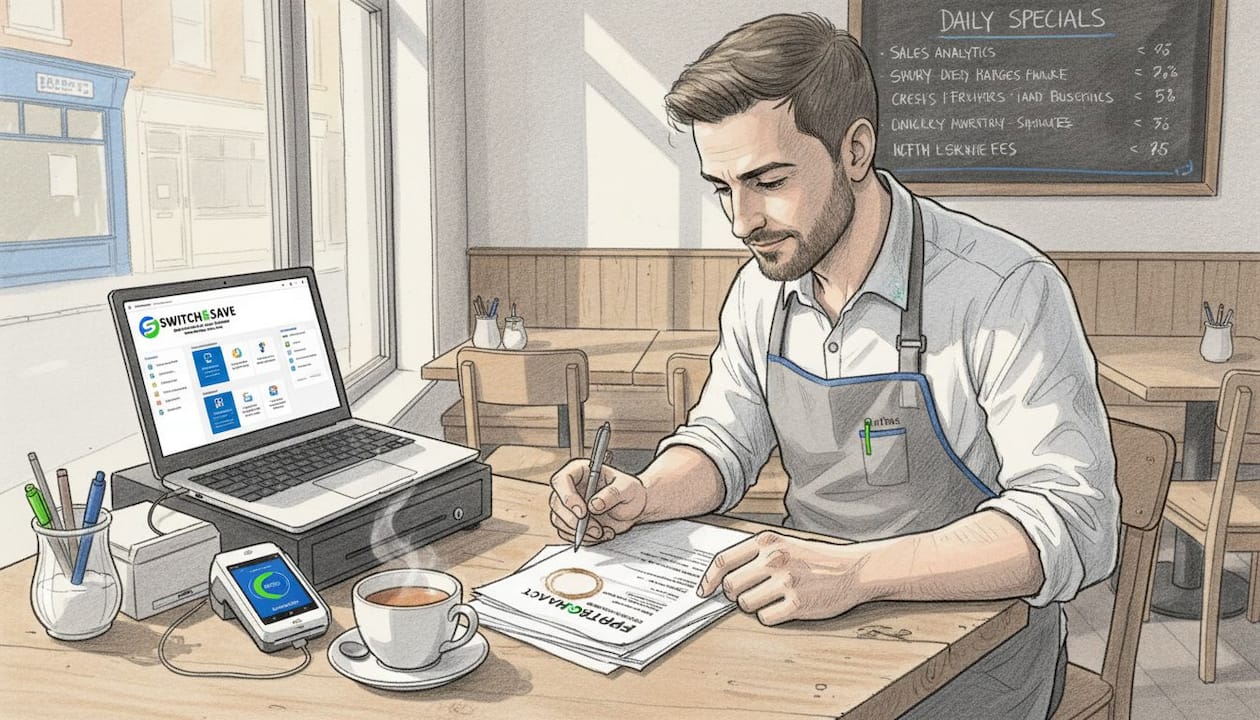
Contract lock-in is another serious issue. Many providers tie you into 12 to 36 month agreements. Exit fees can run into hundreds of pounds, which means even if you find a better deal, leaving is costly. And switching mid-service can disrupt your team and impact revenue at the worst possible time. Understanding the full EPOS system price breakdown before you sign is not optional. It is essential.
How to calculate the real cost of hospitality EPOS
Now that you know where costs hide, here is how to compare systems comprehensively.
Effective cost control relies on examining hardware costs, contract durations, essential workflow add-ons, and onboarding impact, as recommended by experts analysing major EPOS providers. Follow this step-by-step process:
- List every feature you need. Start with table management, order routing, integrated payments, and kitchen display. These are non-negotiable for most hospitality venues.
- Request full pricing for each feature. Ask providers to quote with every required add-on included, not just the base subscription.
- Calculate hardware costs. Terminals, receipt printers, card readers, and tablets all carry upfront or monthly costs. Get a full hardware quote.
- Check contract length and exit fees. A 24-month contract with a £500 exit fee is a significant liability if the system underperforms.
- Factor in onboarding and training. Some providers charge for setup and staff training. Others include it. This can add £200 to £800 to your first-year cost.
- Calculate total cost over 24 months. Add everything together. This is the only honest comparison figure.
Here is an illustrative comparison to show how the numbers can differ:
| Cost element | Iposg (estimated) | Switch&Save | Market average |
|---|---|---|---|
| Monthly subscription | £49 | £29 | £45 |
| Hardware (upfront) | £600+ | Included in bundle | £500 |
| Table management | Add-on fee | Included | Add-on fee |
| Kitchen display | Add-on fee | Included | Add-on fee |
| Contract length | 12 to 24 months | Flexible | 12 to 24 months |
| Exit fees | Yes | No | Often yes |
| 24-month total (est.) | £2,400+ | £696+ | £2,080+ |
Pro Tip: Always ask for a written quote that includes every add-on you need before comparing monthly fees. A £20 difference in monthly cost means nothing if one provider charges £300 more in add-ons.
Before committing to any system, run through these smart EPOS checks to make sure you are not missing anything. Understanding modern POS features will also help you separate genuine value from expensive extras.
Essential features for efficient hospitality operations
Beyond cost, the right mix of features will make or break your service speed and experience.
Not every feature a provider promotes is one you actually need. But some are absolutely critical. Knowing the difference helps you avoid paying for fluff while ensuring you have everything your team relies on during a busy service.
Must-have features for hospitality:
- Order taking at the table via handheld devices or fixed terminals
- Table management with live floor plan view and cover tracking
- Integrated card payments with low transaction rates
- Kitchen display system (KDS) or kitchen printer routing for order accuracy
- Split bills and course management for flexible service
- Real-time sales reporting accessible from any device
Useful but not always essential:
- Advanced loyalty programmes
- Detailed staff scheduling and HR tools
- Multi-site analytics dashboards
- Customer-facing marketing integrations
The problem, as table management and kitchen integration reviews confirm, is that these hospitality-critical features are often unbundled from base packages, driving up price significantly. If a provider charges extra for table management, that is not a premium feature. It is a basic requirement being used to inflate your bill.
Pro Tip: Before signing, ask the provider to walk you through a live demo of a full service scenario, from taking an order at the table to routing it to the kitchen and processing the payment. If any step requires an add-on, you will see it immediately.
Our hospitality EPOS features page shows exactly what is included as standard, so you can see the difference transparency makes.
Iposg vs Switch&Save: real-world comparison for UK hospitality
With these requirements clear, compare the practical options for your hospitality business.
Trustpilot hosts real customer reviews for Iposg.com, publicly displaying overall satisfaction ratings that include both praise and complaints from real users. Checking these reviews gives you a genuine sense of how the provider performs after the sale, not just during it.
Here is a direct side-by-side comparison:
| Feature | Iposg | Switch&Save |
|---|---|---|
| Monthly fee | Higher rate (from £49+) | Low rate (from £29) |
| Hardware included | Often extra | Included in bundles |
| Table management | Paid add-on | Included as standard |
| Kitchen display routing | Paid add-on | Included as standard |
| Contract flexibility | 12 to 24 months | Flexible terms |
| Exit fees | Yes | No |
| UK-based support | Limited | Yes, included |
| Trustpilot transparency | Mixed reviews | Positive customer feedback |
| Free demo | Not always offered | Yes, available |
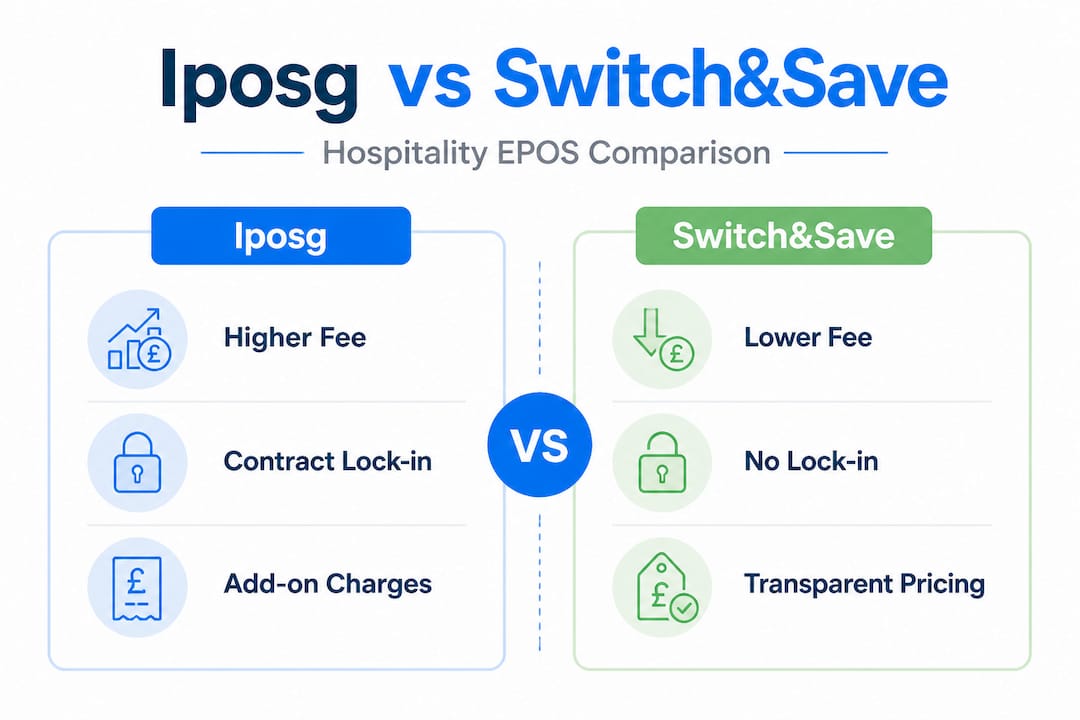
👉 The difference is clear. Iposg carries higher headline and hidden rates, while Switch&Save offers lower rates with more included as standard. When you look at the Switch&Save ePOS bundles, you can see transparent pricing with hardware, software, and key hospitality features bundled together.
Choosing the right system is not just about features. It is about trust, transparency, and knowing exactly what you are paying for. Read more about choosing the right POS for your specific business type before making a final decision.
How to switch EPOS and avoid costly disruption
If you decide to move from Iposg or any other incumbent provider, following the right process is crucial.
Contract lock-in and onboarding challenges cited in reviews and expert analyses show that switching hurdles can increase overall cost if unplanned. A rushed or poorly timed switch can mean downtime during service, lost data, or confused staff at the worst possible moment.
Follow these steps to switch smoothly:
- Audit your existing contract. Find your notice period, exit fees, and renewal date. This tells you when you can leave without penalty.
- Map your new system requirements. List every feature, integration, and hardware item you need in the new setup.
- Choose your new provider and confirm full pricing. Get everything in writing, including onboarding support and training.
- Schedule the transition during a quiet period. Monday mornings or mid-January are typically lower-traffic times for many hospitality businesses.
- Train your staff before go-live. Even a two-hour session on the new system reduces errors and frustration on the first live day.
- Run parallel systems briefly if possible. Keep your old system available for 48 hours after switching, just in case.
- Test everything before service begins. Process a test order from table to kitchen to payment before opening.
Pro Tip: Use a preconfigured hospitality EPOS bundle to speed up deployment. Bundles arrive ready to use, reducing setup time and the risk of configuration errors.
Businesses that have experienced switching for better results consistently report that the planning phase is what determines success. The actual switch is rarely the hard part. Preparation is everything.
Explore our EPOS switching steps resource for a more detailed walkthrough tailored to UK hospitality businesses.
Why focusing on total cost beats chasing the lowest headline price
Having explored switching tactics, it is worth reflecting on how mindset is the decisive factor in achieving real savings.
Here is the uncomfortable truth. Many hospitality businesses choose their EPOS provider based on the monthly fee alone. They see £29 versus £49 and make a decision in minutes. But that approach ignores everything that actually determines value over time.
Many hospitality businesses are caught out by contract lock-in and hidden add-on charges, making apparent savings vanish over time. We have spoken to business owners who thought they were saving £20 a month, only to discover they were paying £80 more once all the add-ons were included.
The smarter approach is to calculate a five-year total cost. Include your monthly subscription, hardware costs, add-ons, support fees, training, and likely exit fees. Then compare that number across providers. The result is often surprising. A provider with a slightly higher monthly fee but no add-ons and no exit fees can be significantly cheaper over five years.
There is also a less obvious cost to consider: the cost of a system that does not work well. Slow checkouts, missed kitchen orders, and payment errors all cost you money in lost covers and frustrated customers. The cheapest system is not always the most profitable one.
Our POS system selection advice covers this mindset shift in more detail. The businesses that get the best long-term value are the ones that treat their EPOS choice as a strategic decision, not a cost-cutting exercise.
Get more value for your hospitality EPOS investment
If this article has helped you see your current EPOS costs in a new light, the next step is straightforward.
Switch&Save offers hospitality EPOS systems designed specifically for UK restaurants, cafés, bars, and food service businesses. Our systems include table management, kitchen display routing, and integrated payments as standard, with no surprise add-on fees. Our SSPOS software is AI-powered, cloud-connected, and built to give you real-time visibility across your entire operation. And with our affordable ePOS bundles, you get hardware and software together at a transparent price.
👉 Request a free demo today and see exactly what you get before you commit to anything.
Frequently asked questions
How can I avoid hidden EPOS costs as a hospitality business?
Always request a full price list including hardware, add-ons, support, and contract exit terms before signing up. Add-on costs and contract lock-ins are among the most common hidden expenses flagged by industry reviewers.
Is Iposg a trustworthy EPOS provider for UK hospitality?
Iposg is reviewed on Trustpilot, where real customers share both positive and negative experiences, so always check the latest ratings before deciding.
What features should a hospitality EPOS system include?
Order taking, table management, integrated payments, and kitchen order routing are considered essential for efficient service. Table management and kitchen integration are often unbundled and can drive up costs if not included as standard.
How can I switch EPOS systems without disrupting my business?
Plan your switch during quieter periods, train staff in advance, and use preconfigured bundles to speed up deployment and reduce the risk of errors on your first live day.
Are bundled EPOS packages better value for small hospitality businesses?
Yes. Bundled packages typically include essential hardware and software features at a combined rate, reducing the need for separate add-on purchases and making your total cost far more predictable.