Most small business owners assume a point-of-sale system is just a modern till. That assumption costs them. The pos software basics go far deeper than processing a card payment. Understanding how pos software works puts you in control of your stock, your sales data, your customer relationships, and your daily operations. The global POS market is forecast to reach $110.22 billion by 2032, driven by businesses that recognise POS software as an operational hub, not just a checkout tool. This guide gives you the foundational knowledge to make smarter decisions.
Table of Contents
- Key takeaways
- POS software basics: what it is and how it works
- Cloud, on-premise, and hybrid systems compared
- Security and features you should expect from modern POS software
- How POS software benefits your operations day to day
- Choosing and installing the right POS software
- My honest take on adopting POS software
- Ready to find the right POS system for your business?
- Common questions about POS software
Key takeaways
| Point | Details |
|---|---|
| POS is more than a till | Modern POS software manages transactions, stock, analytics, and customer data in one place. |
| Cloud vs on-premise matters | Your internet reliability and budget shape which architecture suits your business best. |
| Security is non-negotiable | PCI DSS 4.0 compliance, encryption, and tokenisation are must-haves in any modern system. |
| Operational gains are real | Faster checkouts, live stock levels, and integrated reporting directly improve profitability. |
| Installation needs planning | Budget for training and data migration from the start to avoid costly disruptions later. |
POS software basics: what it is and how it works
POS software is the program that manages the point at which your customer completes a purchase. That sounds simple, but the fundamentals of pos software stretch well beyond the transaction itself.
At its core, POS software does three things simultaneously. It processes the payment, it updates your stock levels, and it records the sale for reporting. Every time a customer buys a coffee, a jacket, or a hotel room, that single action feeds data into multiple parts of your business in real time.
Here is what a typical POS system handles across a working day:
- Transaction processing: Accepts card, cash, and contactless payments; applies discounts; splits bills in hospitality settings.
- Inventory management: Deducts sold items automatically and triggers low-stock alerts when levels drop below a set threshold.
- Sales analytics: Tracks best-selling products, peak trading hours, and staff performance.
- Customer records: Stores purchase history and supports loyalty scheme tracking.
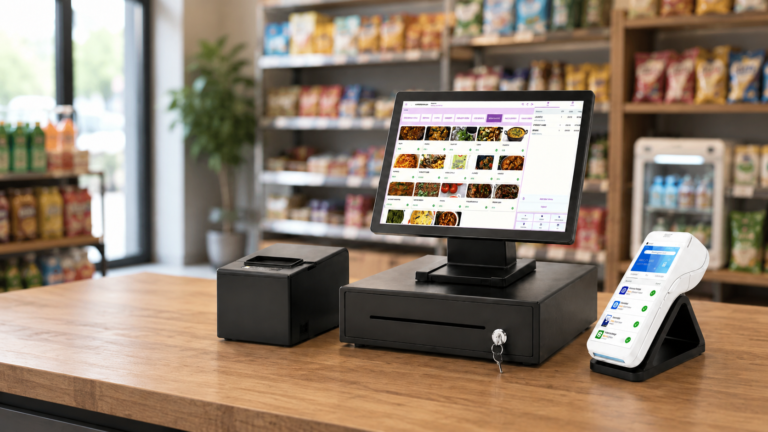
- Hardware integration: Connects with barcode scanners, receipt printers, cash drawers, and customer-facing displays.
- Payment gateway link: Communicates securely with your card processor to authorise and settle transactions.
The difference between understanding pos systems at a surface level and genuinely grasping how they work lies in recognising these connections. When your barcode scanner reads a product, the software does not just ring up a price. It checks your stock file, updates your sales log, and feeds that data through to your reports. Everything is linked.
Pro Tip: Before you evaluate any POS product, write down every process you currently do manually — stock counts, end-of-day reports, loyalty cards. A good POS system should handle most of that list automatically.
Cloud, on-premise, and hybrid systems compared
Once you understand what POS software does, the next question is where it lives. This is where many business owners get confused, and the choice genuinely matters for your day-to-day operations and your budget.
Cloud-based POS
Cloud POS software runs on remote servers and is accessed through a browser or dedicated app. Cloud systems cost less upfront and include automatic updates, off-site data backups, and remote access. You can check your sales figures from home, manage multiple locations from a single dashboard, and add new terminals without calling an engineer. Subscription costs typically run from £50 to £160 per month depending on features and scale. The trade-off is straightforward: you need a reliable internet connection. If your broadband drops, so does your ability to process sales.
On-premise POS
On-premise software is installed directly onto hardware you own. On-premise systems provide full local control and continue working during an internet outage, which makes them popular with businesses in areas with poor connectivity or those handling sensitive data. The upfront investment is higher, often between £1,200 and £8,000, and updates and backups require manual attention or in-house IT support.
Hybrid POS
Hybrid systems combine both approaches. They store data locally so they can operate offline, but sync to the cloud when a connection is available. For many small retailers and hospitality venues, this is the most practical choice.
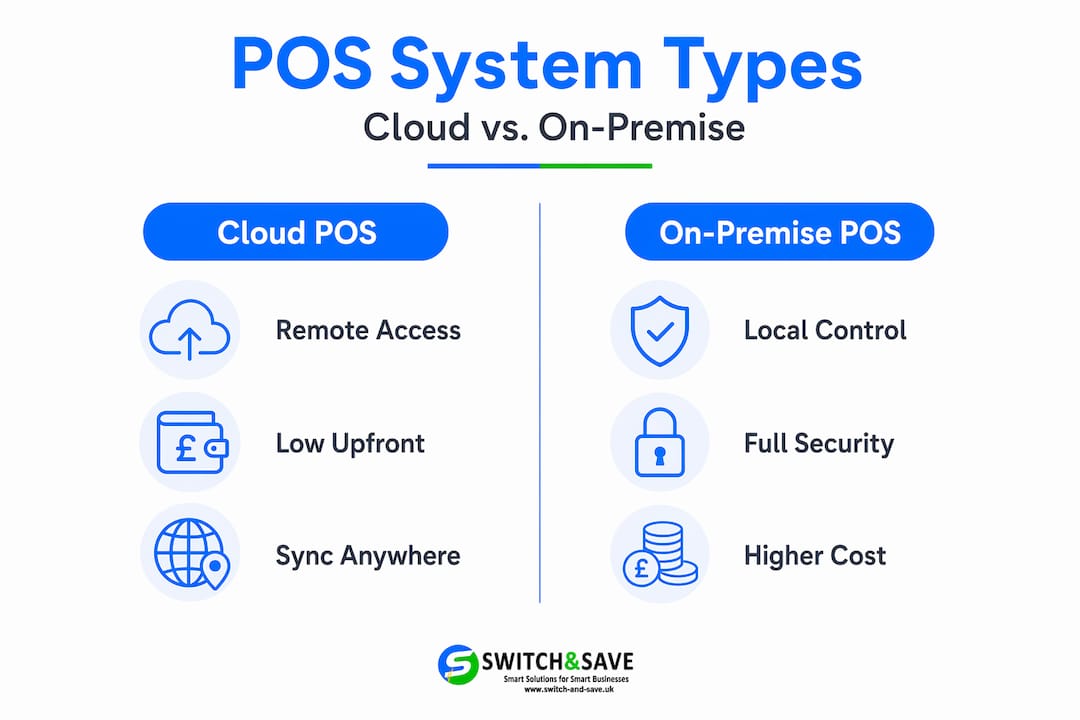
| Feature | Cloud POS | On-premise POS | Hybrid POS |
|---|---|---|---|
| Upfront cost | Low | High | Medium |
| Monthly fees | Yes | Minimal | Yes |
| Works offline | No | Yes | Yes |
| Remote access | Yes | Limited | Yes |
| Automatic updates | Yes | No | Partial |
| Best for | Multi-site, flexible budgets | Poor connectivity, data control | Mixed environments |
Pro Tip: Cloud adoption is increasingly a strategic choice rather than the default. If your business handles highly sensitive customer data or operates in a location with inconsistent broadband, on-premise may serve you better regardless of what is trending.
Security and features you should expect from modern POS software
A good pos software features overview goes well beyond the checkout screen. What sits underneath matters just as much as what your staff see.
Core and advanced features
When reviewing any system, look for these as standard: inventory tracking with real-time updates, table management for hospitality, staff login with role-based permissions, loyalty scheme integration, and multi-tender payment support. More advanced systems add AI-driven sales forecasting, e-commerce platform integration, and accounting and CRM sync that pushes your sales data directly into tools like Xero or QuickBooks.
You can explore what modern features look like in practice by reading about current POS system capabilities for UK businesses.
Security: what you cannot skip
Security is where many business owners underestimate what they need to know. PCI DSS 4.0 compliance is now mandatory for any system that handles cardholder data. This is not optional. If your POS provider cannot show you an Attestation of Compliance, walk away.
Modern POS software should include these security layers as standard:
- Encryption: Converts payment data into unreadable code during transmission.
- Tokenisation: Replaces card numbers with unique tokens so your system never stores actual card data.
- Multi-factor authentication: Requires staff to verify identity beyond just a PIN or password.
- Real-time fraud monitoring: Flags unusual transaction patterns before they become a problem.
- Automatic regulatory updates: Keeps your system compliant as standards evolve without requiring manual intervention on your part.
Modern POS systems incorporate encryption, tokenisation, and multi-factor authentication as baseline protections. If a supplier is vague about any of these, treat it as a red flag.
How POS software benefits your operations day to day
This is where pos software for beginners often becomes the most convincing part of the conversation. Knowing the theory is useful. Seeing the practical gains is what moves decisions forward.
Here are the five operational areas where a well-chosen POS system makes a measurable difference:
- Faster checkouts. Staff spend less time keying in prices, looking up products, or processing manual refunds. Queues move quicker, and fewer errors occur at the till.
- Live stock visibility. You know exactly what you have, what is running low, and what is not selling. That prevents both over-ordering and running out at busy periods. Cloud POS gives you this visibility from anywhere with an internet connection, including from home or a second site.
- Customer data and loyalty. Every transaction builds a profile. You can see what your regulars buy, when they visit, and what promotions are worth running. That is marketing intelligence most small businesses previously could not afford.
- Integrated reporting. End-of-day reports, weekly sales summaries, and VAT-ready data are generated automatically. POS integration with accounting platforms means your bookkeeper or accountant spends less time on data entry and more time on actual advice.
- Multi-location management. If you run more than one site, a cloud POS lets you view and compare performance across all locations without leaving your office. Read more about how POS increases retail sales in UK businesses specifically.
Each of these gains compounds. Faster service leads to happier customers. Accurate stock data reduces waste. Better reporting supports smarter purchasing decisions. The benefits do not sit in isolation.
Choosing and installing the right POS software
Choosing pos software requires more than comparing price lists. The best practices for pos software selection start with a clear picture of your own business before you speak to a single supplier.
Work through these questions first:
- What is your average daily transaction volume? A busy restaurant has different demands from a boutique with 30 transactions a day.
- How reliable is your broadband? If your connection drops regularly, a cloud-only system is a risk.
- What hardware do you already own? Some software works with existing barcode scanners and printers. Others require proprietary hardware.
- Do you need multi-site support now, or is that a future possibility?
- What is your total budget, including installation and training? POS installation and staff training can add £160 to £1,600 to your initial spend depending on system complexity.
Once you have those answers, you are in a much stronger position when evaluating suppliers. Ask every potential provider about data migration (how your existing stock and customer records transfer across), UK-based support availability, and contract terms. A pos software installation guide covering retail and hospitality businesses in the UK is a useful resource before you commit, and you can find detailed guidance on planning your POS installation step by step.
One installation pitfall that catches many business owners: rushing staff training. A new system only delivers its benefits if the people using it understand it. Build at least two to three days of training time into your rollout plan, and make sure you have access to support during your first busy trading period on the new system.
My honest take on adopting POS software
I have spent years watching small retail and hospitality businesses make the same mistake: they choose POS software based on the cheapest monthly price and then spend twice as much dealing with the consequences. Missing features. Poor support. Systems that cannot grow with them.
What I have learned is that understanding the fundamentals before you shop makes all the difference. When you know how pos software works, you stop being sold to and start asking the right questions. You ask about compliance. You ask about offline functionality. You ask what happens to your data if you cancel.
The cloud versus on-premise debate is real, but it is not a technology argument. It is a business argument. I have seen businesses in rural locations stick with on-premise and thrive. I have seen city centre cafés switch to cloud and gain visibility across three sites overnight. Neither is universally right.
My strongest piece of advice: prioritise security and scalability from day one. It is far easier to choose a system that grows with you than to migrate everything eighteen months later because you outgrew what you started with. POS technology will keep evolving. The businesses that stay curious and keep learning will always get more from it.
— Amir
Ready to find the right POS system for your business?
Now that you have a clear picture of pos software basics, the next step is finding a system built for UK retail and hospitality businesses specifically.

Switch-and-save offers a full range of EPOS systems for UK businesses, from entry-level retail bundles to full hospitality setups with integrated payment processing and AI-powered software. If you run a restaurant, café, or hotel, the hospitality EPOS bundle is worth a close look. For businesses that want flexible, capable software to run on their existing hardware, SSPOS software is a practical starting point. Switch-and-save provides UK-based support, transparent pricing, and free demos so you can see exactly what you are getting before you commit. 👉 Get in touch to discuss which solution fits your business.
Common questions about POS software
What does POS software actually do?
POS software processes sales transactions and simultaneously updates stock levels, records sales data, and feeds reports. It connects your payment hardware, inventory records, and customer data into a single system.
Is cloud-based POS better than on-premise?
Neither is universally better. Cloud POS offers remote access and lower upfront costs while on-premise suits businesses with poor internet connectivity or strict data control needs. Your circumstances determine the right fit.
What is PCI DSS and why does it matter for my business?
PCI DSS 4.0 is the security standard that governs how cardholder data must be handled. Any POS system you use to accept card payments must comply, and your provider should be able to show proof of that compliance.
How much does POS software cost for a small business?
Subscription-based POS software typically costs between £50 and £160 per month. One-time on-premise licences can range from £1,200 to £8,000. Budget separately for installation, training, and any hardware you need.
How long does it take to set up a POS system?
Setup time varies by system complexity, but most small business installations take one to three days including hardware configuration and staff training. Proper installation and training significantly reduce errors and downtime during the transition period.