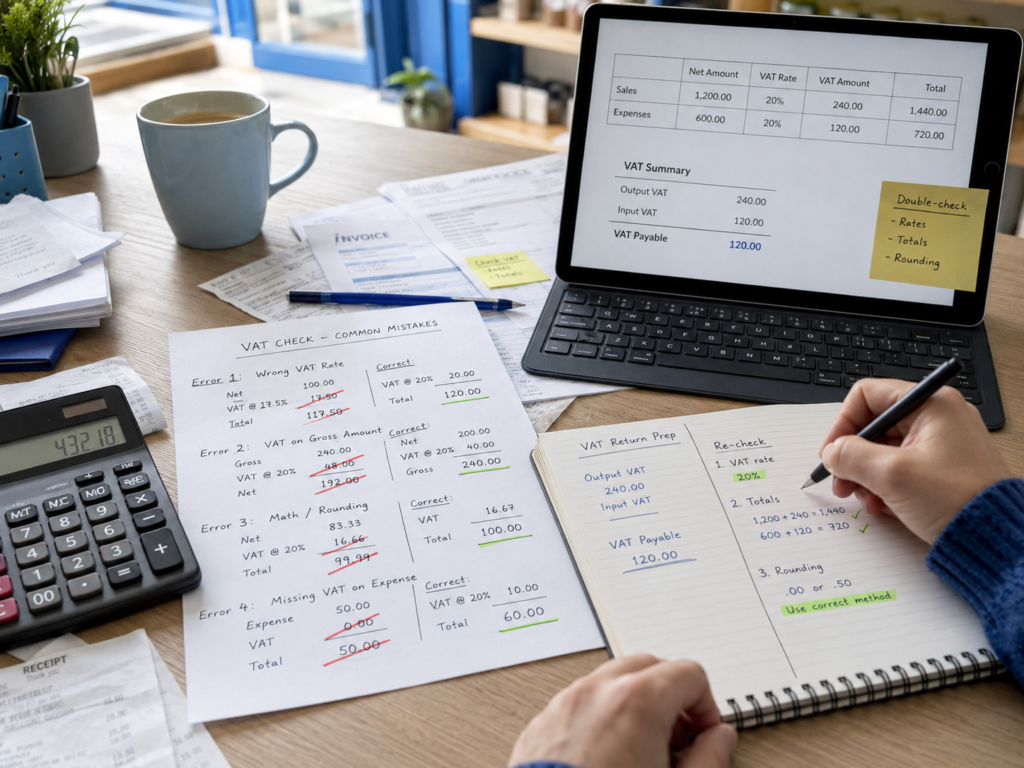
Calculating VAT is fairly simple once you know whether the price you’re working with includes VAT or excludes VAT.
At the standard UK VAT rate of 20%, if your product costs £100 before VAT, the VAT is £20 and the customer pays £120 in total. If you already have a VAT-inclusive price of £120, you can divide it by 6 to find the VAT amount: £20.
The basic formulas are:
To add 20% VAT:
£100 × 20% = £20 VAT
£100 + £20 = £120 including VAT
To remove 20% VAT from a VAT-inclusive price:
£120 ÷ 1.20 = £100 excluding VAT
To find the VAT contained within a 20% VAT-inclusive price:
£120 ÷ 6 = £20 VAT
That covers the maths. But running a VAT-registered business also means knowing which VAT rate applies, what counts towards your VAT return and how much VAT you actually need to pay HMRC.
Here’s how it works.
Key Takeaways
| VAT question | Quick answer |
|---|---|
| Standard UK VAT rate | 20% |
| Reduced VAT rate | 5% on qualifying goods and services |
| Zero rate | 0% on qualifying taxable goods and services |
| VAT registration threshold | More than £90,000 VAT-taxable turnover |
| Add 20% VAT | Net price × 1.20 |
| Remove 20% VAT | Gross price ÷ 1.20 |
| Find VAT within a 20% gross price | Gross price ÷ 6 |
| Add 5% VAT | Net price × 1.05 |
| Find VAT within a 5% gross price | Gross price ÷ 21 |
| VAT records | VAT-registered businesses normally need digital VAT records and compatible software |
HMRC currently sets the standard VAT rate at 20%, the reduced rate at 5% and the zero rate at 0%.
What Is VAT?
VAT, or Value Added Tax, is a tax charged on many goods and services in the UK.
If your business is VAT registered, you normally charge the appropriate VAT rate when making taxable sales. You may also be able to reclaim VAT paid on eligible business purchases.
So VAT isn’t simply another part of your profit.
For example, imagine your shop sells an item for £60 including 20% VAT. The whole £60 isn’t your VAT-exclusive sales revenue. £10 of that amount is VAT and the remaining £50 is the net price.
This distinction matters when you’re looking at sales, profit margins and cash flow.
What Are the Current VAT Rates in the UK?
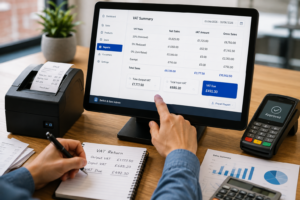
There are three main VAT rates you’re likely to come across.
Standard rate: 20%
The standard VAT rate is 20% and applies to most VATable goods and services.
For example, if you sell a standard-rated product for £50 excluding VAT:
£50 × 20% = £10 VAT
The customer pays:
£50 + £10 = £60
Reduced rate: 5%
Some qualifying goods and services are charged at 5% VAT rather than 20%.
HMRC lists examples such as certain energy-saving materials and children’s car seats.
If something costs £100 before 5% VAT:
£100 × 5% = £5
The VAT-inclusive price becomes:
£105
Zero rate: 0%
Some goods and services are zero-rated.
You charge VAT at 0%, meaning there’s no VAT added to the customer’s price. Most food and children’s clothing are examples of goods that can be zero-rated, although there are plenty of exceptions.
Zero-rated isn’t the same as VAT-exempt.
Zero-rated sales are still taxable supplies for VAT purposes. Exempt supplies are treated differently, so don’t assume that anything with no VAT is automatically zero-rated.
Do You Need to Register for VAT?
As of August 2026, you normally need to register for VAT if your VAT-taxable turnover exceeds £90,000.
HMRC looks at your taxable turnover over a rolling 12-month period, rather than simply looking at your accounting year.
You also need to register if you expect your taxable turnover to exceed £90,000 within the next 30 days. Businesses below the threshold can usually choose to register voluntarily.
That means a growing business needs to monitor turnover regularly.
For example, your café might only have generated £75,000 during its last financial year. But if its taxable sales over the most recent rolling 12 months reach more than £90,000, the VAT registration rules can apply.
Remember that VAT-taxable turnover generally includes sales that are standard-rated, reduced-rated and zero-rated. It doesn’t simply mean the sales on which you charged 20% VAT.
How to Calculate VAT at 20%
Let’s start with the calculation most businesses will use.
If you have a price excluding VAT, multiply it by 20%.
VAT calculation formula
VAT = Net price × VAT rate
For a £200 sale:
£200 × 0.20 = £40 VAT
Then add the VAT:
£200 + £40 = £240 including VAT
You can make the calculation even quicker by multiplying the net price by 1.20.
£200 × 1.20 = £240
Imagine you sell a standard-rated electronic accessory for £25 before VAT.
VAT:
£25 × 20% = £5
Customer price:
£30 including VAT
If you sold 10 of them, your VAT-inclusive takings would be £300, consisting of £250 net sales and £50 VAT.
How to Calculate VAT From a VAT-Inclusive Price
This is where business owners sometimes make a mistake.
If a price already includes VAT, you shouldn’t simply calculate 20% of the total.
For example, 20% of £120 is £24, but the VAT contained within a £120 VAT-inclusive price is actually £20.
Why?
Because the original £100 price was increased by 20% to reach £120.
Removing VAT from the gross price
Use:
Gross price ÷ 1.20 = Net price
So:
£120 ÷ 1.20 = £100
VAT:
£120 – £100 = £20
The quicker method
For a 20% VAT-inclusive price, divide the total by 6.
£120 ÷ 6 = £20 VAT
HMRC also uses the one-sixth VAT fraction when calculating VAT contained within standard-rated gross takings.
Here are a few examples:
| Price including VAT | VAT amount | Price excluding VAT |
|---|---|---|
| £12 | £2 | £10 |
| £60 | £10 | £50 |
| £120 | £20 | £100 |
| £600 | £100 | £500 |
| £1,200 | £200 | £1,000 |
How to Calculate VAT at 5%
The same principle applies to the reduced 5% rate.
For a £100 VAT-exclusive sale:
£100 × 5% = £5 VAT
Total:
£105 including VAT
To remove 5% VAT:
Gross price ÷ 1.05
So:
£105 ÷ 1.05 = £100
To find the VAT contained within a 5% VAT-inclusive amount, divide the gross figure by 21.
£105 ÷ 21 = £5 VAT
A temporary 2026 rule for restaurants
There’s currently an extra point for hospitality businesses.
From 25 June 2026 to 1 September 2026 inclusive, qualifying children’s meals supplied under the government’s temporary summer measure are subject to 5% VAT instead of the normal standard rate.
The relief has specific conditions. For example, qualifying meals need to be presented as children’s meals, and takeaway meals don’t qualify.
Because this measure ends on 1 September 2026, restaurants should make sure their pricing and till VAT settings are updated when the temporary period finishes.
How Do You Calculate VAT for a VAT Return?
Calculating VAT on an individual sale is only part of the job.
A VAT return looks at VAT you’ve charged your customers and VAT you may be entitled to reclaim on business purchases.
You’ll often hear these described as:
Output VAT – VAT charged on your taxable sales.
Input VAT – VAT paid on eligible business purchases that you’re entitled to reclaim.
Your VAT bill is broadly:
Output VAT – reclaimable input VAT = VAT due to HMRC
HMRC describes a VAT return as showing how much VAT you’ve charged and how much VAT you’ve paid to other businesses.
Imagine a VAT-registered business has:
Standard-rated sales excluding VAT: £10,000
Output VAT:
£10,000 × 20% = £2,000
It also has eligible purchases of:
£4,000 excluding VAT
VAT paid on those purchases:
£4,000 × 20% = £800
The simplified calculation is:
£2,000 output VAT – £800 reclaimable input VAT = £1,200 VAT due
Actual VAT returns can become more complicated where you have mixed VAT rates, exempt sales, partial exemption, imports, special schemes or purchases where VAT cannot be fully reclaimed.
That’s where speaking to an accountant or VAT adviser can be worthwhile.
VAT gets more complicated when your business sells products with different VAT treatments.
Café or restaurant
Restaurants generally charge VAT on food and drink consumed on their premises. Hot takeaway food is also normally standard-rated.
But individual food products can have different VAT treatment depending on what’s being sold and how it’s supplied.
That means you shouldn’t simply set every product in your till to one VAT rate without checking the rules.
Grocery shop
A grocery shop can have several VAT categories on the same receipt.
Many basic food products can be zero-rated, while other products may be standard-rated. HMRC’s food VAT rules contain numerous exceptions, so accurate product categorisation matters.
Your EPOS system should therefore make it easy to assign the appropriate tax treatment at product level and separate sales when producing reports.
If you’re reviewing your till setup, our guide to why UK small businesses are switching to hybrid EPOS systems explains how modern EPOS systems can bring sales, payments and reporting into a more organised workflow.
Retail shop
Retail businesses often display VAT-inclusive prices to consumers.
Suppose your daily standard-rated sales total £1,800 including 20% VAT.
VAT included:
£1,800 ÷ 6 = £300
Net sales:
£1,800 – £300 = £1,500
Having your sales system separate these figures automatically makes bookkeeping far easier than trying to calculate VAT manually at the end of each week.
Common VAT Calculation Mistakes
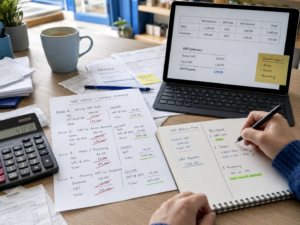
The maths isn’t usually the difficult part. It’s applying the right calculation to the right transaction.
Calculating 20% of a VAT-inclusive price
If your price is £120 including VAT, VAT isn’t £24.
It’s £20.
Use £120 ÷ 6 instead.
Applying the same VAT rate to every product
This is particularly risky for cafés, restaurants, takeaways and grocery shops.
Different products can have different VAT treatment. Set the correct rate against each product rather than relying on one blanket percentage.
Confusing zero-rated and exempt sales
Both may appear to have no VAT charged, but they aren’t the same for VAT purposes.
That distinction can affect your taxable turnover and ability to recover VAT on costs.
Forgetting to monitor the VAT threshold
The £90,000 threshold is based on taxable turnover, and businesses should monitor it on a rolling basis rather than waiting until the end of the financial year.
Treating VAT collected as profit
If you collect £20 VAT on a £100 net sale, that £20 shouldn’t be treated as ordinary sales profit.
Keeping VAT figures clearly separated can make cash-flow planning much easier.
How EPOS Can Make VAT Records Easier
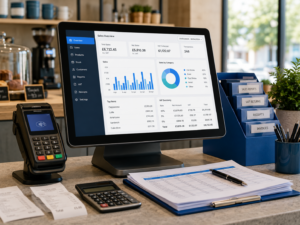
Manually separating VAT from hundreds or thousands of transactions can quickly become impractical.
A properly configured EPOS system can help you record products consistently, apply the correct VAT settings at the point of sale and produce clearer sales reports for your bookkeeper or accountant.
That’s especially useful when you sell products across several VAT categories.
For example, a grocery shop may have zero-rated and standard-rated products, while a hospitality business may need to distinguish between different types of food sales.
VAT-registered businesses are also required to keep appropriate digital VAT records and submit VAT returns using software compatible with Making Tax Digital for VAT, unless an exemption applies.
Your EPOS and accounting setup should therefore work together rather than leaving you to rebuild sales figures manually at the end of each VAT period.
Switch & Save provides AI-powered EPOS systems and card payment solutions designed to help UK businesses manage their sales, payments and reporting more efficiently.
You can also read our guide to integrated card payments for restaurants if you want to understand how connecting your card terminal and EPOS system can reduce manual payment entry.
A Simple VAT Calculation Cheat Sheet
If you only remember four formulas, make them these:
Add 20% VAT:
Net price × 1.20
Remove 20% VAT:
Gross price ÷ 1.20
Find 20% VAT inside a gross price:
Gross price ÷ 6
Add 5% VAT:
Net price × 1.05
For example:
£500 excluding VAT × 1.20 = £600 including VAT
£600 including VAT ÷ 6 = £100 VAT
£600 ÷ 1.20 = £500 excluding VAT
Once you understand whether you’re starting with a net or gross figure, calculating VAT becomes much easier.
Make VAT and Sales Reporting Easier
VAT calculations shouldn’t mean going through piles of receipts or manually separating hundreds of transactions.
A well-configured sales system can help you keep cleaner records from the moment a transaction happens.
Switch & Save helps UK businesses reduce costs with AI-powered EPOS systems, card payment solutions and business finance.
Frequently Asked Questions
How do I calculate 20% VAT?
Multiply the VAT-exclusive price by 0.20.
For example:
£100 × 0.20 = £20 VAT.
The VAT-inclusive total is £120.
How do I calculate VAT from the total price?
If a price already includes 20% VAT, divide it by 6 to find the VAT amount.
For example:
£240 ÷ 6 = £40 VAT.
The VAT-exclusive price is £200.
How do I remove VAT from a price?
At the standard 20% VAT rate, divide the VAT-inclusive price by 1.20.
For example:
£300 ÷ 1.20 = £250 before VAT.
What is the VAT registration threshold in the UK?
As of August 2026, the compulsory VAT registration threshold is more than £90,000 of VAT-taxable turnover. Businesses may also voluntarily register below the threshold.
Do I charge VAT if I’m not VAT registered?
You should not charge customers VAT as VAT unless your business is VAT registered.
If you’re approaching the VAT registration threshold, check HMRC’s registration rules carefully so you know when your obligation begins.
Is VAT always 20% in the UK?
No. The main UK VAT rates are 20%, 5% and 0%, and some supplies are exempt. Which treatment applies depends on the product or service you’re selling.
Does a VAT-registered business keep all the VAT it charges?
No. VAT collected from customers forms part of your VAT accounting. You report output VAT to HMRC and may be able to deduct eligible input VAT before calculating what you need to pay.
Can an EPOS system calculate VAT automatically?
An EPOS system can calculate and record VAT at the point of sale once your products and tax rates have been configured correctly. You still need to make sure the VAT treatment assigned to each product or service is correct.