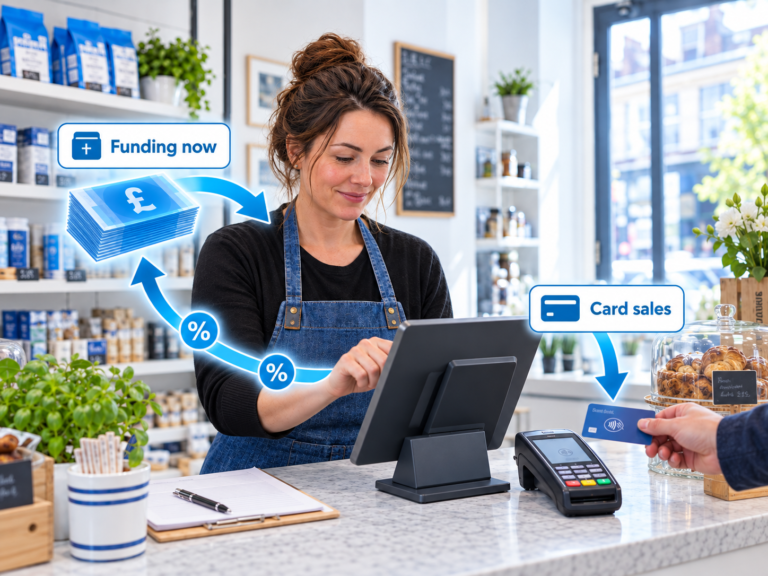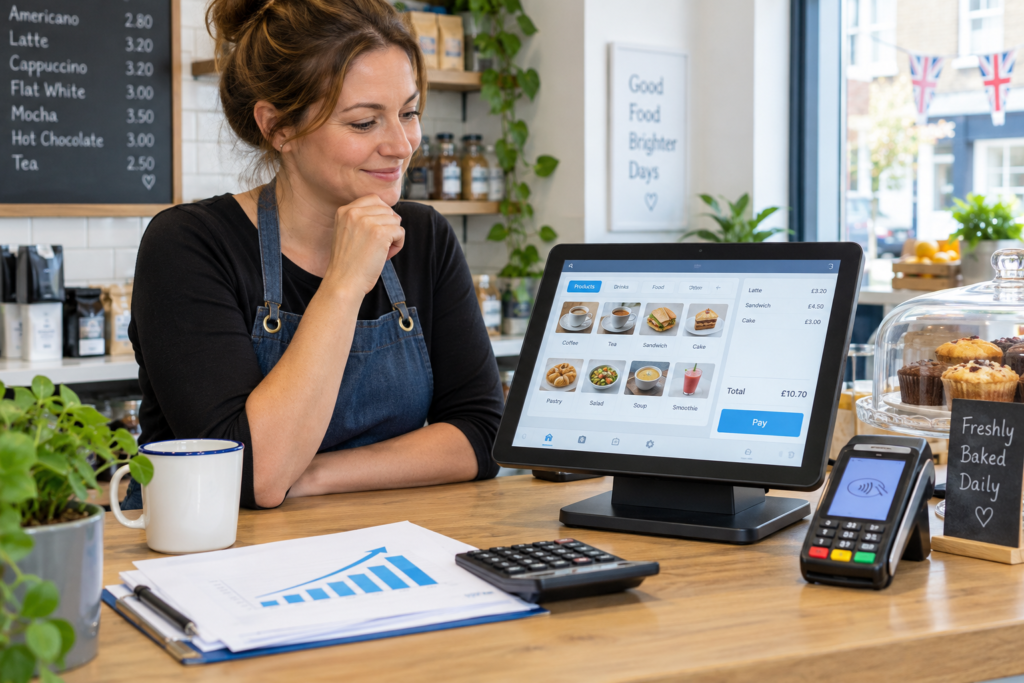
Business finance can help you upgrade your EPOS equipment without paying the full cost upfront. Instead of delaying a better till system, card machine, barcode scanner, receipt printer or stock-control setup, you can spread the cost in a way that suits your cash flow.
For many UK retailers, cafés, takeaways, restaurants and convenience stores, this makes sense when old equipment is slowing service, causing mistakes or making stock control harder than it needs to be.
The key is to treat EPOS finance as a business decision, not just a purchase. Ask what the upgrade will save, what it will improve, and whether the monthly repayments fit comfortably around your sales.
Key Takeaways
| Point | What it means for your business |
|---|---|
| EPOS finance helps spread costs | You can upgrade equipment without using a large lump sum upfront |
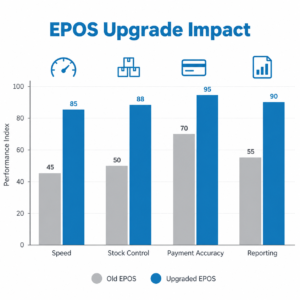
| It can improve daily operations | Faster payments, better stock control and cleaner reporting can save time |
| Cash flow still matters | Repayments should fit your normal trading pattern |
| Equipment should match your business | A takeaway, grocery shop and salon may need different EPOS setups |
| Compare the full value | Look beyond the monthly cost and check support, features and payment fees |
| Switch & Save can help | You can review EPOS, card payments and finance together |
What Is Business Finance for EPOS Equipment?
Business finance for EPOS equipment means using funding to buy or upgrade your till system, payment equipment and related hardware.
Instead of paying everything upfront, you may be able to spread the cost over time. This can make upgrades easier to manage, especially if your current system is holding the business back but cash is needed elsewhere.
EPOS stands for Electronic Point of Sale. In plain English, it’s the system you use to take payments, record sales, manage products and understand what’s happening in your business.
A modern EPOS setup may include a touchscreen till, cash drawer, receipt printer, barcode scanner, customer display, card machine, kitchen printer, stock control tools and cloud reporting.
For a small business, that equipment isn’t just “tech”. It’s part of how you serve customers, manage staff, track stock and protect your margins.
Why Businesses Upgrade EPOS Equipment
Most businesses don’t upgrade EPOS equipment because they want something shiny. They upgrade because the old setup starts costing time, money or customer patience.
Maybe your till is slow. Maybe staff keep typing prices manually. Maybe the card machine isn’t integrated, so transactions have to be entered twice. Maybe stock is hard to check, reports are messy, or you can’t easily see what’s selling.
That friction adds up.
For example, a convenience store with thousands of products needs fast barcode scanning, clear stock tracking and simple price updates. A restaurant needs tables, split payments, kitchen printing and order accuracy. A takeaway may need fast order entry, delivery tracking and reliable card payments.
If the system doesn’t match how the business actually works, staff end up creating workarounds. That’s usually where mistakes creep in.
What EPOS Equipment Can Be Financed?
EPOS equipment finance can cover different parts of your setup, depending on the finance option and provider.
Common items include:
| Equipment | Why it matters |
|---|---|
| Touchscreen EPOS terminal | Speeds up sales and keeps orders organised |
| Receipt printer | Provides customer receipts and kitchen/bar tickets |
| Barcode scanner | Reduces manual entry and pricing errors |
| Cash drawer | Supports cash handling and till control |
| Card machine | Lets customers pay by card, contactless or mobile wallet |
| Customer display | Shows totals clearly to customers |
| Kitchen printer or KDS | Helps hospitality teams manage food orders |
| Label printer | Useful for products, barcodes, shelf labels or dry cleaning tags |
| Cloud reporting | Helps owners check sales, stock and performance remotely |
The right equipment depends on your business type.
A mobile phone shop may need product lookup, serial number tracking and customer records. A grocery shop may need scale barcode support and fast scanning. A café may care more about quick buttons, modifiers and table orders.
That’s why finance should be linked to the right EPOS package, not just the cheapest hardware.
How EPOS Finance Works in Practice
Here’s how it works.
You choose the EPOS equipment your business needs. The finance option then helps cover the cost, usually through regular repayments rather than one full payment upfront.
The exact structure can vary. Some businesses use a fixed monthly payment. Others may use broader small business finance to support upgrades, refurbishment, stock or equipment together.
The good news is that this can help you protect working capital. Working capital simply means the money you need day to day for wages, rent, suppliers and bills.
Instead of spending a large amount at once, you keep more cash available for normal operations.
But the finance still needs to make sense. You should know:
| Question | Why it matters |
|---|---|
| What is the total repayment amount? | You need to understand the full cost |
| What is the monthly payment? | It must fit your cash flow |
| What equipment is included? | You don’t want missing items later |
| Is support included? | Downtime can be costly |
| Are card payment fees competitive? | Lower monthly finance means little if fees are too high |
| Can the system grow with you? | Useful if you add products, staff or another branch |
In practice, the best result often comes from reviewing EPOS equipment, payment processing and finance together.
When Upgrading Makes Financial Sense
An EPOS upgrade usually makes sense when the current setup is creating visible problems.
For example, if staff spend extra time fixing mistakes, looking up prices or reconciling card payments manually, that time has a cost. If stock reports are unreliable, you may over-order slow products or run out of bestsellers. If your card machine and till don’t speak to each other, staff may enter the wrong amount.
So, what actually happens when a customer taps their card?
With an integrated setup, the EPOS sends the exact total to the card machine. The customer pays, and the sale is recorded automatically. That reduces manual entry and makes end-of-day checks cleaner.
For busy shops and hospitality venues, those small improvements can make the day feel less chaotic.
You don’t need to make unrealistic claims about “instant growth” to justify better equipment. Sometimes the value is simple: fewer errors, faster service, clearer reports and less admin.
Business Finance vs Paying Upfront
Paying upfront can be a good choice if your business has spare cash and the upgrade won’t affect day-to-day operations.
But many small businesses need to protect cash flow. Even profitable businesses can feel pressure when several costs land at once.
Business finance may be useful if:
| Situation | Why finance may help |
|---|---|
| You’re upgrading before a busy season | You can prepare now and repay over time |
| Your current EPOS is slowing service | Waiting may keep costing time and sales opportunities |
| You need several devices | Finance can cover a fuller setup |
| You want to keep cash available | Useful for wages, rent, stock and supplier bills |
| You’re opening or expanding | Equipment costs can be spread alongside other setup costs |
The point isn’t that finance is always better. It’s that it can give you more flexibility.
What to Check Before Choosing EPOS Finance
Before choosing finance for EPOS equipment, look at the whole picture.
A low monthly figure may look attractive, but it doesn’t tell you everything. You also need to know what you’re getting, how the system will be supported and whether it fits your business properly.
Check these areas carefully:
| Area | What to look for |
|---|---|
| Equipment included | Terminal, printer, scanner, cash drawer, card machine and any extras |
| Software features | Stock, reporting, staff permissions, refunds, discounts and customer records |
| Payment integration | Whether the card machine connects directly to the EPOS |
| Support | UK-based help, setup support and troubleshooting |
| Contract terms | Repayment period, total cost and cancellation rules |
| Card fees | Transaction charges and any monthly payment costs |
| Future needs | Whether the system can support more branches, products or users |
You should also think about training. Even a good EPOS system can feel frustrating if staff don’t know how to use it.
A proper setup should make everyday tasks easier, not add another layer of confusion.
How AI-Powered EPOS Can Help
AI-powered EPOS doesn’t mean replacing the owner’s judgement. It means giving you better information, faster.
For example, a modern EPOS system can help you spot sales patterns, check popular products and understand busy times. Some systems can support smarter reporting, product insights and better stock decisions.
In plain English, it helps you see what’s happening without digging through messy spreadsheets.
For a shop owner, that might mean noticing that certain drinks sell better at weekends. For a restaurant, it might mean seeing which menu items perform well and which ones don’t justify their ingredients. For a retailer, it might mean tracking slow stock before too much cash is tied up.
This is where an EPOS upgrade can become more than a hardware purchase. It can become a better way to run the business.
Why Combine EPOS, Card Payments and Finance?
EPOS equipment, card payments and business finance are connected in real life.
Your till records the sale. Your card machine takes the payment. Your reports help you understand performance. Your finance option affects cash flow.
If these are handled separately, it can create extra admin. You may end up with one supplier for the till, another for card payments and another for finance. When something goes wrong, it’s not always clear who should fix it.
Switch & Save helps UK businesses review these areas together. That means you can look at the full setup: EPOS system, payment solution, equipment needs and finance options.
The aim is simple. Reduce unnecessary costs, improve efficiency and help your business run more smoothly.
How Switch & Save Can Help
Switch & Save supports UK small businesses with AI-powered EPOS systems, card payment solutions and business finance.
That includes businesses in retail, hospitality, takeaways, cafés, restaurants, bars, grocery shops and mobile shops.
If you’re thinking about upgrading EPOS equipment, Switch & Save can help you review what you currently use, what your business actually needs and where you may be able to reduce costs.
You may not need the most expensive setup. You need the right setup.
That could mean a faster till, integrated card machine, better stock tools, cloud reports, barcode scanning, kitchen printing or a finance option that helps you upgrade without draining cash reserves.
Switch & Save helps UK businesses reduce costs with AI-powered EPOS systems, card payment solutions and business finance.
FAQ
What is business finance for EPOS equipment?
Business finance for EPOS equipment helps you spread the cost of upgrading your till system, card machine, receipt printer, barcode scanner or other point-of-sale hardware. It can make upgrades easier to manage without paying the full cost upfront.
Can I finance a full EPOS system?
Yes, many businesses use finance to support a full EPOS setup. This may include the touchscreen terminal, software, printer, scanner, cash drawer, card payment equipment and other business-specific tools.
Is EPOS finance suitable for small shops?
It can be suitable if the repayments fit your cash flow and the equipment helps solve real business problems. For example, a small shop may benefit from faster scanning, better stock reports and integrated card payments.
Is it better to finance or buy EPOS equipment outright?
It depends on your cash position. Buying outright may suit businesses with spare cash. Finance may suit businesses that want to protect working capital and spread the cost over time.
Can EPOS finance help restaurants and takeaways?
Yes. Restaurants and takeaways may use finance to upgrade to table management, kitchen printing, split payments, delivery order handling and integrated card payments.
What should I check before agreeing to EPOS finance?
Check the total repayment amount, monthly cost, equipment included, support, software features, contract length and card payment fees. Don’t judge the deal only by the monthly payment.
Does Switch & Save offer EPOS and business finance?
Switch & Save helps UK businesses with AI-powered EPOS systems, card payment solutions and business finance. The goal is to help business owners reduce costs and improve daily operations.