Many small retailers assume that a powerful EPOS system is something only large chains can afford or justify. That assumption costs real money every day. Missed sales, stock errors, slow checkouts, and hours lost to manual admin all quietly eat into your margins. The truth is, the right EPOS system for retail is one of the most practical investments a small or medium-sized UK business can make, and today’s options are more accessible and affordable than ever before.
Table of Contents
- What is a retail POS system and why does it matter?
- Core features every retail POS system should deliver
- Comparing types of retail POS systems: cloud, local, and hybrid
- How to select the best retail POS system for your business
- Common mistakes and expert tips for POS success
- Why one-size-fits-all retail POS systems rarely deliver the best value
- Find your perfect retail POS system with Switch&Save
- Frequently asked questions
Key Takeaways
| Point | Details |
|---|---|
| Modern EPOS boosts profits | Adopting the right system cuts errors and saves time, directly enhancing your retail margins. |
| Features matter most | Select essential features like inventory and data analytics that suit your business, not just the newest tech. |
| Type matters | Cloud, local, or hybrid? Choose based on your connectivity, store size, and business priorities. |
| Involve your staff | Proper training and staff input prevent costly pitfalls during rollout and day-to-day operations. |
| Custom fit brings best value | Bespoke solutions aligned to your workflows usually outperform generic, one-size-fits-all POS options. |
What is a retail POS system and why does it matter?
POS stands for Point of Sale. It is simply the moment and place where a customer pays for goods or services. An EPOS system, which stands for Electronic Point of Sale, takes that process digital. Instead of a manual till and paper receipts, you get a smart, connected system that handles transactions, tracks stock, generates reports, and much more.
For small and medium retailers, this matters enormously. Consider how much time your team spends counting stock manually, reconciling end-of-day takings, or chasing down pricing errors. An EPOS system automates all of that. As shown in our guide on how a POS system increases sales, retail POS systems streamline sales, inventory, and customer management, leading to more efficient operations overall.
Key benefits you can expect from a modern EPOS system include:
- Faster transactions at the till, reducing queues and improving the customer experience
- Accurate stock tracking so you always know what you have and what needs reordering
- Integrated payment processing for card, contactless, and digital payments
- Real-time sales reports that help you make smarter buying and staffing decisions
- Reduced human error across pricing, stock counts, and end-of-day reconciliation
“A good EPOS system does not just process payments. It gives you a clear picture of your entire business, from your best-selling products to your quietest trading hours.”
The misconception that EPOS systems are too complex or costly for small shops is simply outdated. Entry-level systems in the UK now start from around £549, and the time and money you save in the first few months typically covers that investment many times over.
Core features every retail POS system should deliver
Once you understand the value of a POS system, knowing what features to prioritise makes shortlisting options much easier. Not all systems are equal, and some will serve your business far better than others depending on your sector, whether that is a grocery store, a salon, a barber shop, or a takeaway.
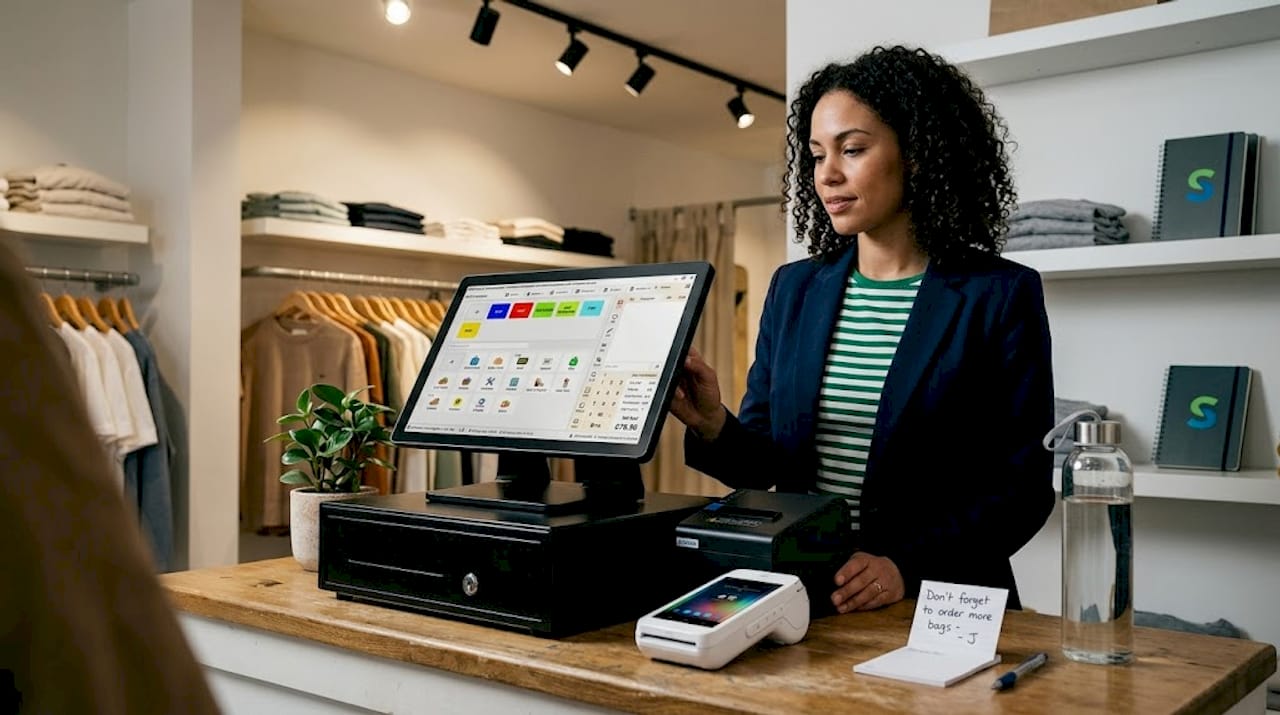
Must-have EPOS features for any small business in 2025 and beyond include a user-friendly interface, inventory management, sales reporting, and secure payment options. Here is what each of those looks like in practice:
| Feature | What it does | Why it matters |
|---|---|---|
| User-friendly interface | Simple touchscreen layout for staff | Reduces training time and till errors |
| Inventory management | Tracks stock levels in real time | Prevents overselling and waste |
| Integrated payments | Accepts cards, contactless, and digital wallets | Speeds up checkout and reduces cash handling |
| Sales reporting | Generates daily, weekly, and monthly reports | Supports better buying and staffing decisions |
| Security and permissions | Controls staff access levels | Protects against fraud and data breaches |
| Cloud dashboard | Remote access to data from any device | Lets you manage your business from anywhere |
Beyond these essentials, look for systems that offer multi-store support if you operate more than one location, loyalty programme integration if you want to reward repeat customers, and compatibility with your existing accounting software to avoid double-entry admin.
A strong interface is particularly important if you have part-time staff or high turnover. A system that takes weeks to learn will slow you down and frustrate your team. The best modern POS system features are intuitive enough that a new member of staff can be confident at the till within an hour.
Pro Tip: Before you commit to any system, ask the vendor to show you the staff training process. If it looks complicated or requires a specialist to set up, that is a warning sign for your day-to-day operations.
Comparing types of retail POS systems: cloud, local, and hybrid
After knowing what features to look for, choosing the right type of POS system is the next main decision point. There are three main architectures to understand: cloud-based, local (on-premise), and hybrid.
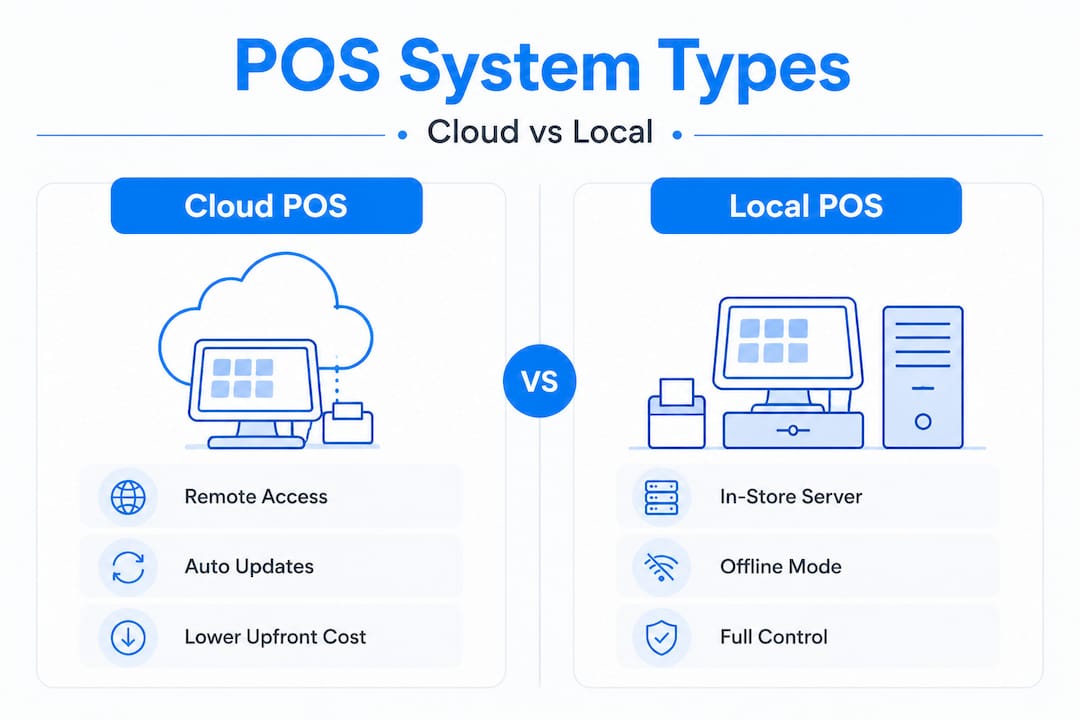
Cloud-based POS runs on remote servers and is accessed via the internet. Your data is stored securely online, and you can view reports and manage your system from any device, anywhere. Cloud-based POS systems offer remote access and automatic updates, but they do depend on a stable internet connection.
Local (on-premise) POS stores all data on a server physically located in your shop. It works without internet access, giving you full control over your data. The trade-off is higher upfront hardware costs and the need for manual updates and backups.
Hybrid POS combines both approaches. It operates locally so it keeps working if your internet drops, but syncs data to the cloud when connected. This is often the most resilient option for busy retail environments.
| System type | Upfront cost | Internet needed | Remote access | Best suited for |
|---|---|---|---|---|
| Cloud-based | Low to medium | Yes | Yes | Multi-site retailers, modern shops |
| Local (on-premise) | Higher | No | Limited | Shops with unreliable connectivity |
| Hybrid | Medium | Partial | Yes | Busy retail, hospitality, takeaways |
Here are a few situational pointers to help you decide:
- Cloud POS suits retailers who want flexibility, low upfront costs, and the ability to check performance remotely. It is ideal for small boutiques, salons, and barber shops.
- Local POS suits businesses in areas with unreliable broadband, or those who prefer to keep all data on-site for compliance reasons.
- Hybrid POS suits high-volume environments like grocery stores, restaurants, or takeaways where downtime is simply not an option.
Use our EPOS system checklist to map your connectivity situation and business priorities before making a final call on system type.
Pro Tip: Always ask vendors what happens if your internet goes down mid-trading. A system that stops processing payments during an outage could cost you significantly in lost sales.
How to select the best retail POS system for your business
With system types and features clarified, putting this knowledge into a practical selection process can save time and prevent regrets. Many retailers rush this stage and end up with a system that does not quite fit, leading to workarounds and frustration. A systematic approach to selecting a POS system helps you match solutions to your real business needs rather than just buying what looks good in a brochure.
Follow these steps to make a confident, well-informed choice:
List your current pain points. Where are you losing time or money right now? Slow checkouts, stock discrepancies, manual reporting? Write them down before you start looking at systems.
Define your must-haves versus nice-to-haves. Separate the features you genuinely need from those that would simply be convenient. This stops you overpaying for functionality you will never use.
Consider your business type and size. A POS system for a restaurant or takeaway has different requirements to one for a clothing boutique or grocery store. Make sure any system you consider is designed or configurable for your sector.
Shortlist two or three vendors. Look at pricing, what is included in each package, and whether the vendor has experience with UK businesses of your size. Check reviews and ask for references.
Request a demo. Never buy without seeing the system in action. A hands-on demo lets you assess the interface, speed, and ease of use before committing any money.
Evaluate total cost of ownership. Look beyond the upfront price. Factor in monthly software fees, payment processing rates, hardware costs, and support charges. A cheap system can become expensive quickly if the ongoing fees are high.
Check support and upgrade options. UK-based support is a significant advantage. You want to be able to call someone who understands your business context and can resolve issues quickly.
It is also worth reviewing when to upgrade your EPOS if you already have a system in place. Sometimes the right move is not a full replacement but a targeted upgrade to add features you are currently missing.
Pro Tip: Ask vendors specifically about their onboarding process and data migration support. Moving your existing product catalogue and customer data to a new system can be time-consuming if the vendor does not provide proper assistance.
Common mistakes and expert tips for POS success
Having made a choice, it is just as important to avoid common mistakes and leverage expert insights for a smooth and profitable implementation. Even a great system can underperform if it is rolled out poorly or used without a clear plan.
As highlighted in our article on reducing errors with EPOS, retailers often overlook staff training and data migration, which leads to frustration with new POS rollouts. Here are the most common pitfalls and how to avoid them:
- Not involving staff early enough. Your team will use the system every day. Get their input during the selection process and involve them in testing. Staff who feel consulted are far more likely to embrace the change.
- Ignoring vendor lock-in. Some providers make it difficult or expensive to switch systems later. Check contract terms carefully and understand what it would take to move your data if needed.
- Overlooking ongoing costs. Monthly fees, transaction charges, and add-on costs can add up significantly over a year. Always calculate the annual total, not just the upfront price.
- Skipping the reporting setup. Many retailers buy a system with excellent reporting tools and then never configure or use them properly. Your EPOS data is genuinely valuable. Use our guide on using data in retail to understand what insights you should be tracking from day one.
- Rushing the go-live date. Give yourself enough time to test the system, train staff, and migrate data before switching over fully. A phased rollout, where you run both systems briefly in parallel, reduces risk considerably.
Pro Tip: Set clear goals for your new EPOS system before go-live. For example, aim to reduce stock discrepancies by a specific percentage or cut end-of-day reconciliation time in half. Measurable goals keep your team focused and help you evaluate whether the system is delivering real value.
Why one-size-fits-all retail POS systems rarely deliver the best value
Here is something we see regularly, and it is worth saying plainly. Many UK retailers end up with a popular, well-marketed POS system that simply does not fit how their business actually works. They bought the brand, not the solution.
A busy takeaway in Birmingham and a boutique gift shop in Edinburgh have almost nothing in common operationally. The takeaway needs rapid order management, kitchen display integration, and support for delivery platforms. The gift shop needs flexible product variants, a loyalty scheme, and seasonal reporting. A generic system built for neither will frustrate both.
The retailers who get the most from their EPOS investment are those who start with a clear picture of their own workflows and then find a system that matches. Not the other way around. Knowing the signs you need an EPOS is a useful starting point, but the real work is understanding exactly what your business does differently and making sure your chosen system can accommodate that.
We have seen businesses spend thousands on premium systems with features they never touch, while missing basic functionality they actually need. We have also seen small retailers transform their operations with a straightforward, well-configured entry-level system that fits their workflow perfectly. The lesson is consistent: fit matters more than features. A system that does 80% of what you need brilliantly will outperform one that does 120% of what you need badly.
Find your perfect retail POS system with Switch&Save
👉 If you are ready to move from confusion to clarity, Switch&Save is here to help. We offer a full range of EPOS systems for retail designed specifically for UK small and medium businesses, from entry-level setups starting at just £549 to advanced multi-site solutions. Our Retail EPOS System packages combine reliable hardware, AI-powered software, and integrated payment processing in one straightforward bundle. We also offer a wide selection of EPOS bundles to suit different budgets and business types. Every package comes with UK-based support, free demos, and transparent pricing so you know exactly what you are getting. 📞 Speak to our team today and get a tailored recommendation for your business.
Frequently asked questions
What is the main difference between a POS and an EPOS system?
A POS (Point of Sale) refers to any system used to process sales, including traditional tills. An EPOS is a fully digital version that uses computers or tablets to handle sales, reporting, stock management, and integrations with other business tools.
How much does a retail POS system typically cost in the UK?
Entry-level EPOS systems in the UK start from around £549, with more advanced solutions running to several thousand pounds depending on hardware, software features, and the number of terminals required.
Is cloud or on-premise POS better for small retailers?
Cloud POS offers lower upfront costs, remote access, and automatic updates, making it a strong choice for most small retailers. However, a reliable internet connection is essential. On-premise systems offer more control but come with higher start-up costs and manual maintenance. Cloud-based POS systems suit most modern UK retail environments well.
How can a POS system help reduce human errors?
EPOS systems automate pricing, stock updates, and end-of-day reconciliation, which removes many of the manual steps where mistakes occur. As noted in our guide on reducing human errors, staff training and a clear rollout plan are equally important in minimising mistakes from day one.
What support should I expect from a POS system vendor?
A good vendor should provide full setup assistance, staff training, ongoing technical support, and clear options for upgrades or data migration as your business grows. UK-based support is particularly valuable for fast resolution when issues arise during trading hours.